
Are you looking for the best Canva alternatives to create professional graphics, social media posts, and marketing materials with more power and flexibility? 🚀
If yes, you’re in the right place! ✅
While Canva is a fantastic tool, sometimes you need more whether it’s professional-grade AI, advanced data visualization, or seamless integration with expert software. In 2025, the design landscape has evolved, offering specialized tools that can do things Canva simply can’t.

That’s why we’ve curated a list of the Best Canva Alternatives that every professional, student, or creator should know.
Our top picks include Adobe Express for professional-quality AI, Visme for data-heavy infographics, VistaCreate for scroll-stopping social media, Snappa for lightning-fast creation, Piktochart for corporate reports, and Pixlr for advanced photo editing.
These tools are powerful, easy to use, and designed to help you stand out in a crowded digital space.
#1. Adobe Express 🏆
Adobe Express is a simplified, web-based version of Adobe’s professional suite.
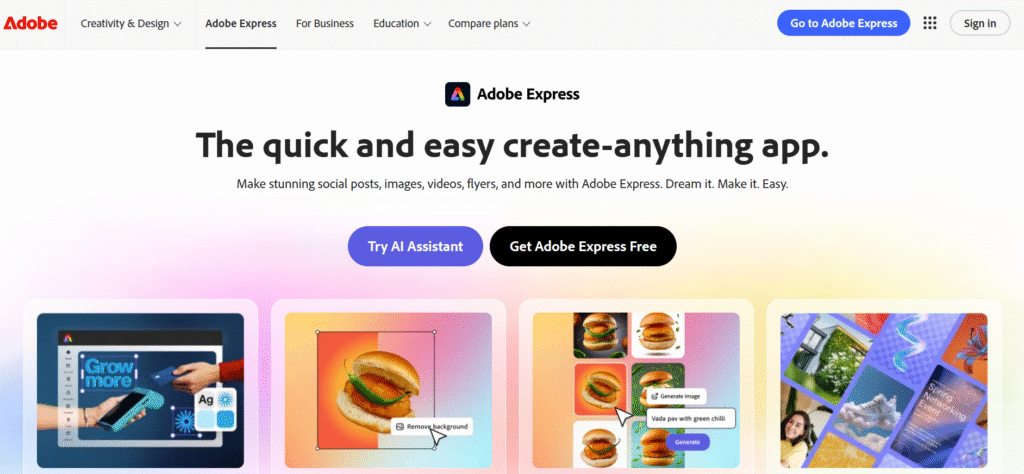
It is designed for creators who want the power of Photoshop and Illustrator in a much easier, template-based interface.
Key Features of Adobe Express ✨
- Adobe Firefly AI: Generate images and text effects using professional-grade generative AI. This tool allows you to create high-quality assets from simple text prompts, saving hours of manual design work.
- Creative Cloud Sync: Seamlessly import assets from Photoshop and Illustrator to maintain a professional workflow. You can start a design on your desktop and finish it on your mobile or web browser with perfect sync.

- One-Click Quick Actions: Instantly remove backgrounds, resize videos, and convert PDFs without needing complex software. These automated tools make tedious editing tasks take only a few seconds.
- Adobe Fonts Library: Access over 25,000 high-quality, professional typefaces that are usually reserved for pro designers. This ensures your text always looks polished and premium compared to standard web fonts.
- Premium Template Library: Use thousands of exclusive, professionally designed marketing assets for social media and business. Every template is crafted by Adobe’s expert design team to ensure high conversion and impact.
Pricing Plans of Adobe Express 💰
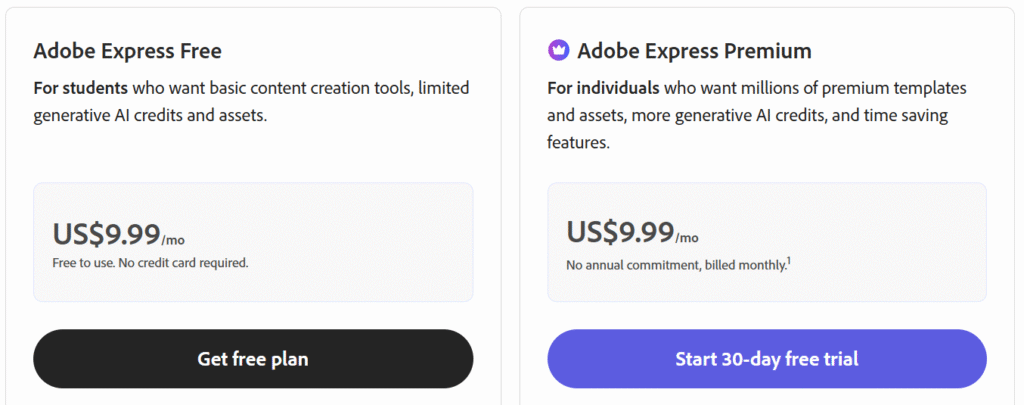
- Adobe Express Free: Free plan with basic editing tools, limited assets, and 5GB storage.
- Adobe Express Premium: $9.99/month with premium templates, generative AI credits, and full access to Adobe Photoshop.
- Adobe Express Best Value: $9.99/month, includes Premium features + 4,000 AI credits and advanced image editing tools like Adobe Photoshop on web.
Pros & Cons of Adobe Express ✅
| Pros ✅ | Cons ❌ |
|---|---|
| Industry-leading AI features powered by Adobe Firefly. | Advanced features require a paid subscription. |
| Seamless integration with Photoshop and Illustrator. | Can feel slightly heavier to load than basic tools. |
| Access to thousands of high-end professional fonts. | Steeper learning curve for Adobe-specific settings. |
| Robust cloud storage for easy access and sharing. | Limited storage on free plan. |
| Customizable templates for various industries and needs. | |
| Content scheduling for social media posts across multiple platforms. | |
| Real-time collaboration for team-based projects. |
#2. Visme
Visme is an all-in-one visual content creation tool designed to help users create professional and engaging presentations, infographics, reports, social media graphics, and more, without needing advanced design skills.
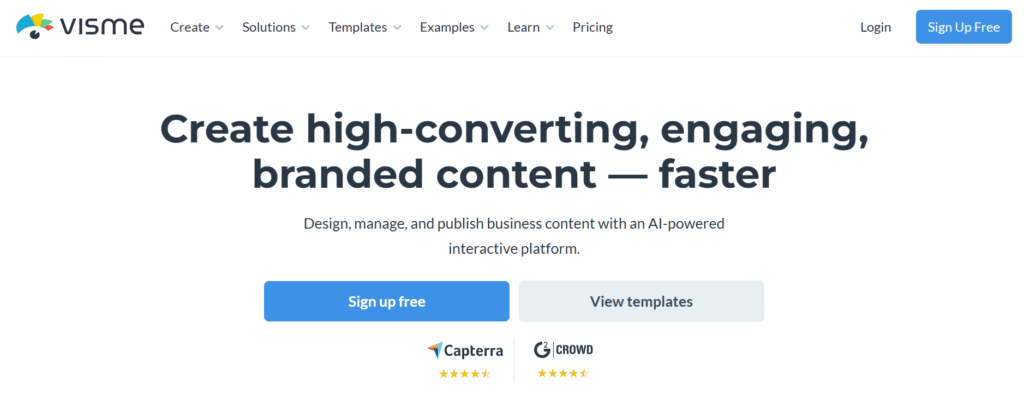
It combines powerful design tools with easy-to-use templates, making it a go-to platform for businesses, educators, marketers, and content creators.
Key Features of Visme ✨
- Dynamic Data Widgets: Turn complex numbers into beautiful, easy-to-read charts and graphs instantly. These widgets help tell a story with your data, making your reports much more engaging.
- Interactive Elements: Add clickable buttons, hover effects, and video embeds to keep your audience involved. This makes your presentations feel like an app rather than a static slide deck.
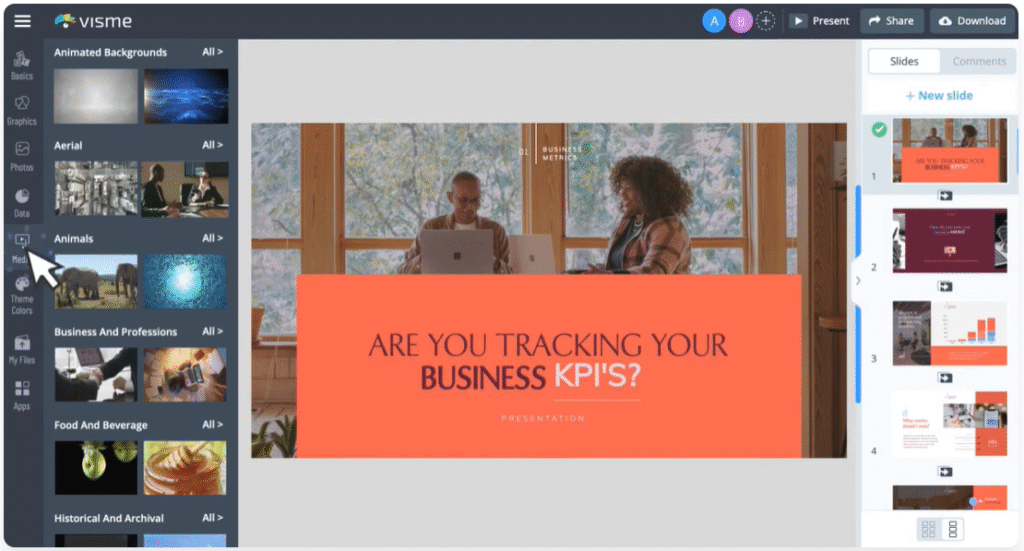
- Live Data Integration: Connect directly to Google Sheets or Excel for real-time data updates. As your spreadsheet changes, your design updates automatically, ensuring your reports are always current.
- Professional Asset Library: Access millions of professional icons, stock photos, and high-quality 3D graphics. These assets are curated for business environments, giving your work a sophisticated corporate look.
- Automated Brand Kit: Lock in your brand colors and fonts across all team projects automatically. This ensures that every member of your team produces content that is 100% on-brand every time.
Pricing Plans of Visme 💰
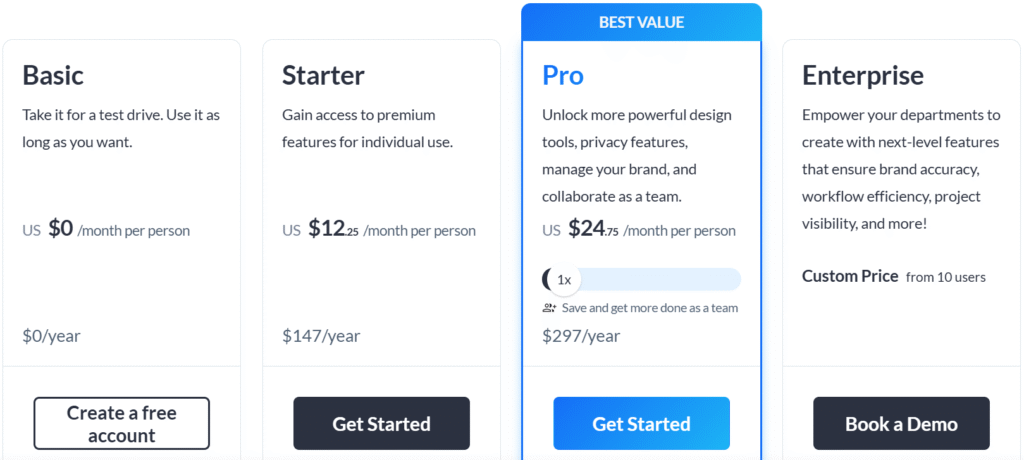
- Free Plan: Access basic features, templates, and 100MB storage for personal use with no credit card required.
- Standard Plan: $15/month for unlimited projects, 250MB storage, and access to more templates, branding tools, and premium support.
- Business Plan: $29/month for advanced features, team collaboration tools, 5GB storage, and the ability to create branded content and track project performance.
- Enterprise Plan: Custom pricing for large teams and organizations, offering enhanced security, administrative control, and dedicated support.
Pros & Cons of Visme 🌟
| Pros ✅ | Cons ❌ |
|---|---|
| Superior for data visualization and infographics. | Free tier is very limited for downloads. |
| Includes interactive elements and animation. | Pricing is higher than most competitors. |
| Supports live data syncing from external files. | A bit of a learning curve for advanced widgets. |
| Offers a wide range of customizable templates. | Limited integration options with other tools. |
| User-friendly interface with drag-and-drop features. | |
| Collaborative design features for team projects. | |
| Comprehensive analytics for measuring design performance. |
#3. VistaCreate
VistaCreate is an all-in-one design platform designed to empower users to create stunning visuals for social media, print, and web content.
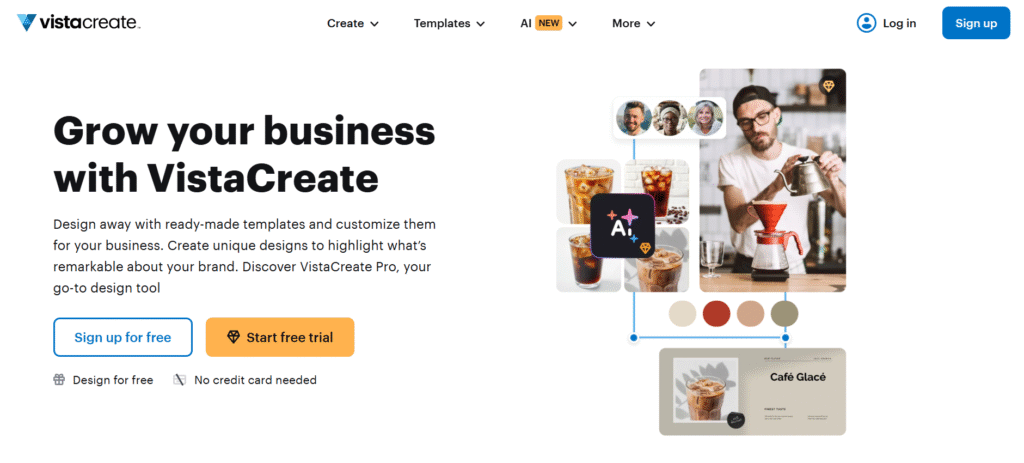
Whether you’re an entrepreneur, marketer, or designer, VistaCreate offers an extensive library of customizable templates, animations, and graphics to help you produce eye-catching content effortlessly.
Key Features of VistaCreate 🌟
- Massive Animation Library: Use thousands of “scroll-stopping” animated templates for social media ads. These templates are designed to grab attention in fast-moving feeds and increase engagement.
- Direct Printing Services: Order physical copies of your designs directly through the platform via VistaPrint. This bridges the gap between digital design and physical marketing materials like flyers and cards.
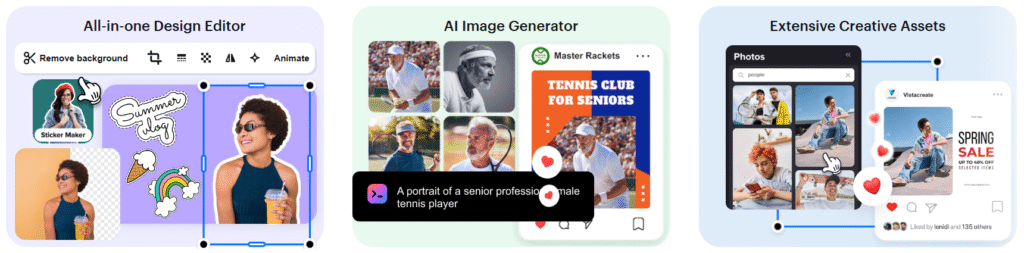
- Music & Video Integration: Easily add professional soundtracks and video clips to your social media stories. This gives your content a cinematic feel that stands out from static images.
- AI Background Remover: A highly accurate tool for creating clean product photography and professional portraits. It works in one click to separate your subject from any cluttered background.
- Multi-Format Resizing: Change an Instagram post into a print flyer or a Facebook header with one click. This saves hours of manual resizing and repositioning of design elements.
Pricing Plans of VistaCreate 💰

- Starter Plan: Free plan with access to 100K+ templates, 1M+ photos, 10GB storage, and essential design tools.
- Pro Plan: $10/month with unlimited storage, 170M+ assets, advanced AI tools, background remover, and team account features.
Pros & Cons of VistaCreate ✅
| Pros ✅ | Cons ❌ |
|---|---|
| Access to 200K+ premium templates and 170M+ assets. | Free plan is very limited in terms of features and storage. |
| Unlimited storage for your designs and projects with the Pro plan. | Some advanced tools like AI Image Generator are only available in Pro. |
| AI-powered features like AI Object Remover and AI Writer for enhanced content creation. | Higher pricing compared to some design tools. |
| Background removal tool for easy image editing. | Learning curve for more advanced design features. |
| Option to create and store unlimited Brand Kits with logos, colors, and fonts. | |
| Ability to resize designs quickly for multiple social media platforms. | |
| Team account option for collaborative design work. |
#4. Snappa
Snappa is an easy-to-use online graphic design tool designed to help users create stunning visuals in minutes—whether for social media, blogs, ads, or other digital content. You don’t need any design experience to get started.
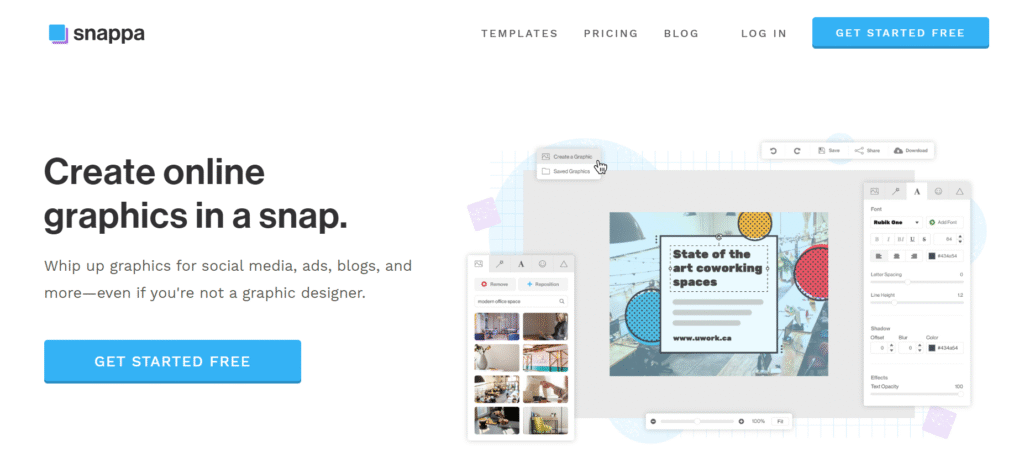
With its intuitive drag-and-drop interface, Snappa makes it simple to design high-quality graphics for a variety of purposes, saving you time and effort.
Key Features of Snappa 🌟
- Pre-made Templates: Choose from thousands of professionally designed templates, optimized for social media, ads, and more, to make your designs stand out instantly.
- Free Stock Photos: Access over 5 million high-resolution, royalty-free stock photos without worrying about usage rights or additional costs.
- Instant Background Removal: With just one click, remove backgrounds from images, making your content look more professional in seconds.
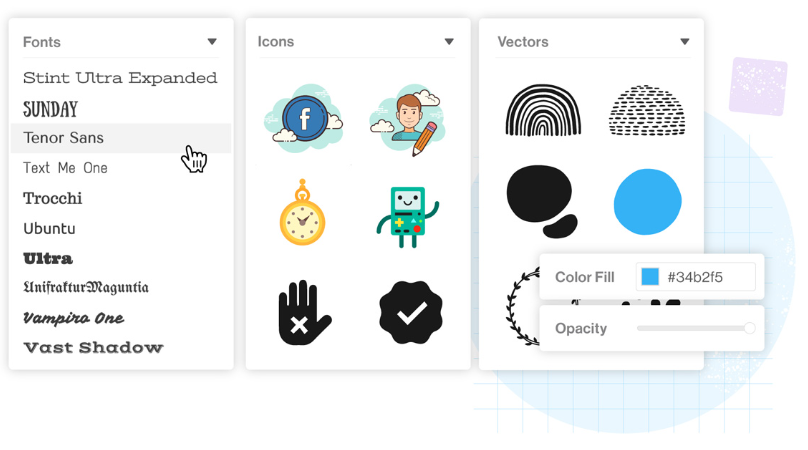
- Design Tools: Customize your designs with over 200 fonts, 100,000+ icons and vectors, and photo effects to make your graphics unique and eye-catching.
- Easy Resizing: Resize your graphics for different platforms and formats in just one click, saving you time when creating for multiple channels.
- Social Media Sharing: Share your designs directly to platforms like Facebook, Twitter, and Instagram, and even schedule posts with your Buffer account.
- User-Friendly Interface: Snappa is designed for speed and simplicity, so you can create beautiful designs without a steep learning curve.
Pricing Plans of Snappa 💰
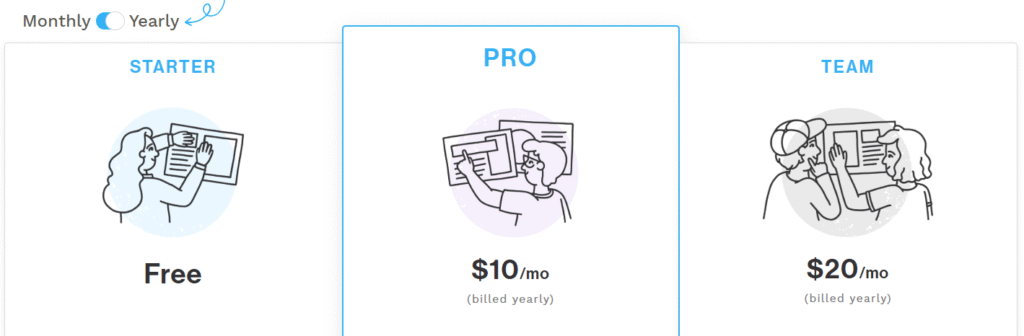
- Starter Plan: Free plan with 6,000+ templates, 5M+ HD photos, and 3 downloads per month.
- Pro Plan: $10/month (billed yearly) with unlimited downloads, social media integrations, custom font uploads, and background removal.
- Team Plan: $20/month (billed yearly) for 5 users, including all Pro features plus team collaboration and more.
Pros & Cons of Snappa ✅
| Pros ✅ | Cons ❌ |
|---|---|
| Access to 6,000+ templates and 5M+ HD photos. | Free plan limits to 3 downloads per month. |
| Easy-to-use interface with no learning curve. | Limited customization options in the free plan. |
| Unlimited downloads with Pro and Team plans. | Some features are only available with paid plans. |
| Custom font uploads and background removal feature in Pro plan. | Team plan is limited to 5 users; more requires custom pricing. |
| Buffer and social media integrations for easy sharing. | |
| 5M+ HD photos and graphics included, royalty-free. | |
| Ideal for non-designers with a large variety of use cases. |
#5. Piktochart
Piktochart is an intuitive online design tool that allows users to create stunning visuals with ease, including infographics, presentations, reports, posters, and social media graphics.
Whether you’re a business professional, educator, or student, Piktochart simplifies the process of visualizing content without needing advanced design skills.
Key Features of Piktochart ✨
- Templates: Choose from a wide range of customizable templates, including infographics, presentations, and reports.
- AI Tools: Leverage AI-powered design tools, such as the AI Image Generator, Document Generator, and Summary Generator to create unique visuals.
- Brand Kit: Customize your designs with your brand’s colors, fonts, and logos for consistent branding across all visuals.
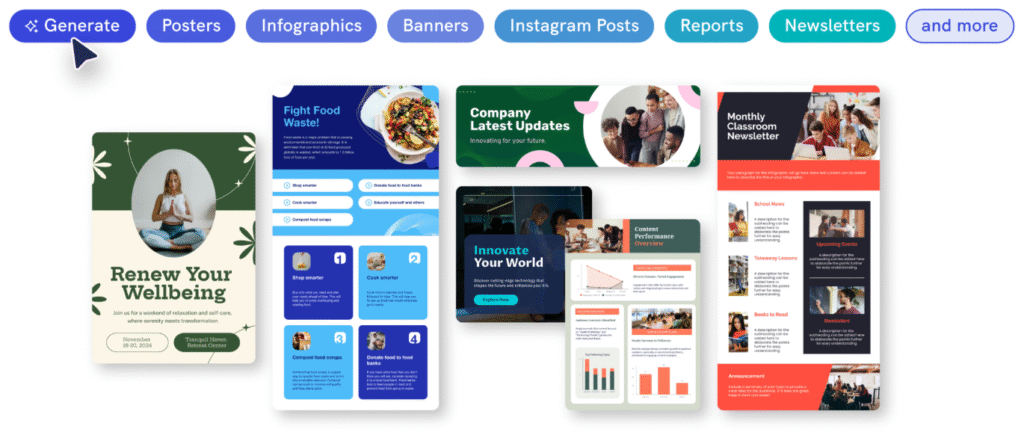
- Easy-to-Use Editor: Drag-and-drop editor to easily add text, images, icons, and charts to your designs.
- Collaboration: Work as a team with unlimited team members, organize visuals in folders, and access shared assets.
- Social Media Integration: Schedule and share your graphics directly to platforms like Facebook, Twitter, and LinkedIn.
- Flexible Download Options: Download designs in various formats like PNG, PDF, and PowerPoint, with transparent backgrounds available in premium plans.
Pricing Plans of Piktochart 💰

- Free Plan: Free plan with 2 PNG downloads, unlimited visual projects, 60 AI credits, and 100MB storage.
- Pro Plan: $14/member/month (billed annually) with unlimited downloads, 500 AI credits, 100GB storage, and premium assets.
- Business Plan: $24/member/month (billed annually) for 1-100 users, offering unlimited downloads, advanced branding, 1,000 AI credits, and 250GB storage.
- Enterprise Plan: Custom pricing with everything in the Business plan plus personalized onboarding, advanced security, and team management features for 101+ members.
Pros & Cons of Piktochart 📊
| Pros ✅ | Cons ❌ |
|---|---|
| Access to a wide range of templates for various content types. | Free plan limits to 2 downloads per month. |
| AI-powered tools like AI Design Generator and Image Generator. | Advanced features only available in paid plans. |
| Flexible branding options with the Business plan, including custom fonts and logos. | No option to add custom fonts in the Free plan. |
| Unlimited downloads and premium assets with the Pro and Business plans. | The Enterprise plan has custom pricing, making it harder to budget. |
| Collaborative team features in the Business plan for easy team management. | |
| Ability to create interactive charts and maps for data visualization. | |
| High storage capacity (250GB) and AI credits (1,000) in the Business plan. |
#6. Pixlr
Pixlr is a powerful and easy-to-use online photo editing platform that offers advanced features for both beginners and professionals.

With its AI-powered tools and intuitive interface, Pixlr allows users to edit photos, create designs, and generate images directly from their web browser, desktop, or mobile devices. Whether you’re looking to make quick edits or create complex designs, Pixlr provides all the tools you need in one platform.
Key Features of Pixlr ✨
- AI Image Generator: Pixlr allows users to generate high-quality images from simple text prompts using AI, making it easy to create thumbnails, social media creatives, and unique artwork without manual designing.
- One-Click Background Remover: Pixlr’s AI-powered background remover instantly removes backgrounds with a single click, making it ideal for product photos, portraits, and clean marketing visuals without any design skills.
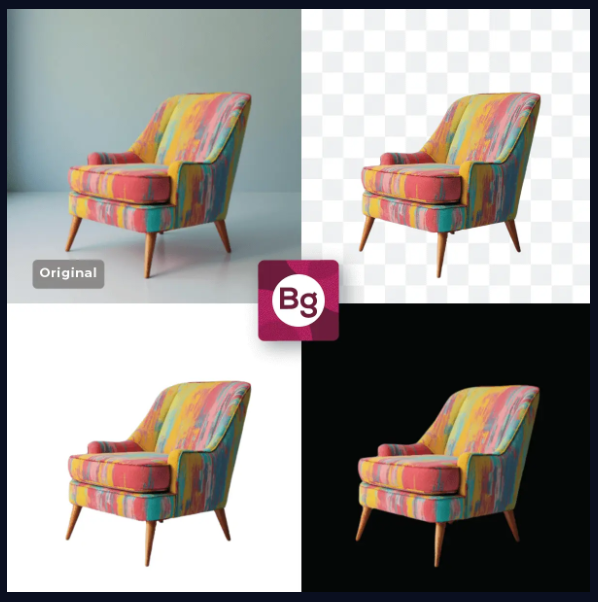
- Advanced Photo Editing Tools: Pixlr offers professional-level tools like layers, filters, masks, retouching, and color adjustments, acting as a lightweight Photoshop alternative that works directly in the browser.
- Generative Fill & Expand (AI Editing): With AI Generative Fill and Expand, Pixlr lets you add, remove, or extend image elements naturally, which is perfect for creating ads, banners, and creative social media visuals.
- Multi-Device & Browser-Based Access: Pixlr works seamlessly across web browsers, desktop, and mobile devices without installation, allowing users to edit images anytime, anywhere with ease.
Pricing Plans of Pixlr 💰
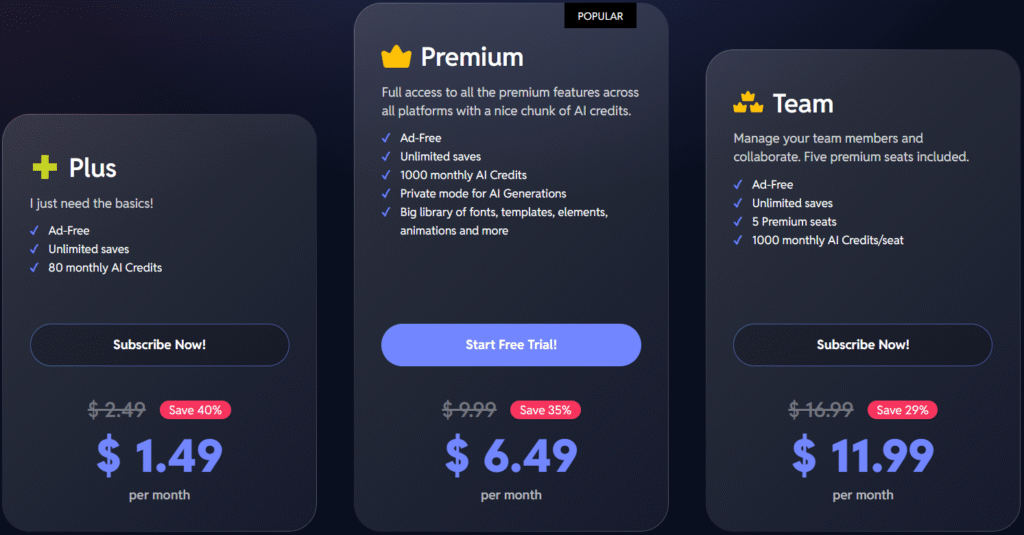
- Pixlr Plus ($1.49): Best for basic editing needs, offering ad-free usage, unlimited saves, and 80 monthly AI credits at a very affordable price.
- Pixlr Premium ($6.49): Ideal for creators who want full access to premium tools, a large asset library, private AI generations, and 1,000 AI credits per month.
- Pixlr Team ($11.99): Designed for collaboration, this plan includes 5 premium seats with 1,000 AI credits per user for team-based design work.
Pros & Cons of Pixlr 🎯
| Pros ✅ | Cons ❌ |
|---|---|
| Powerful AI tools like Image Generator, Generative Fill, and Background Remover. | Advanced AI features consume credits quickly. |
| Works directly in the browser with no installation required. | Limited offline functionality compared to desktop editors. |
| Excellent Photoshop alternative for quick and professional edits. | Layer-heavy projects can feel slower on low-end devices. |
| One-click background removal and object removal save massive time. | |
| Supports layers, masks, filters, and advanced photo adjustments. | |
| Available on web, desktop, and mobile with seamless access. | |
| Affordable pricing compared to traditional design software. |
🏆 Which Is the Best Canva Alternative?
While all the tools on this list—Visme, VistaCreate, Snappa, Piktochart, and Pixlr offer strong features for specific use cases, Adobe Express delivers the most balanced, powerful, and future-ready design experience overall.
The best Canva alternative is the one that matches your goals but with today’s options, you have powerful, flexible tools that can help you create stunning visuals, stand out online, and work smarter, not harder. 🚀
Why Adobe Express Wins? 👌
Adobe Express clearly stands out as the best Canva alternative.
What makes Adobe Express the winner is its professional-grade AI powered by Adobe Firefly, which produces high-quality, commercially safe designs that go beyond basic templates. Unlike many Canva alternatives, it also seamlessly integrates with Photoshop and Illustrator, giving users access to true industry-standard workflows without complexity..
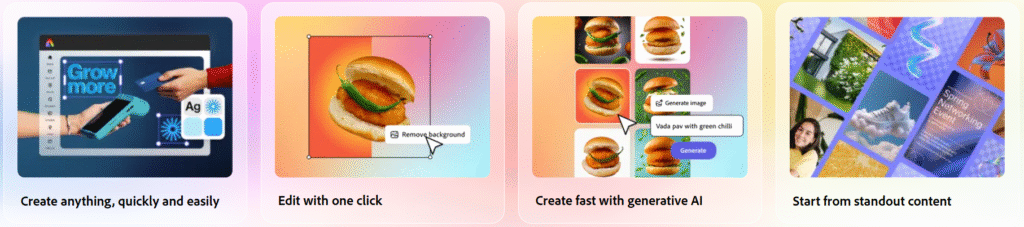
Adobe Express is ideal for creators, marketers, students, businesses, and professionals who want premium results without learning advanced design software. From social media graphics and videos to marketing assets and brand content, it covers nearly every design need in one platform.
Most importantly, Adobe Express combines ease of use, advanced AI tools, premium templates, and trusted Adobe reliability, making it the most complete and scalable Canva alternative.
Conclusion 🔥
Absolutely! Choosing the right design tool can completely transform how you create and present your content, and this list of Canva alternatives proves that you’re no longer limited to just one platform.
Each tool we covered brings something unique to the table whether it’s advanced AI features, powerful data visualization, lightning-fast design creation, or professional photo editing.
However, if you’re looking for the most well-rounded Canva alternative, Adobe Express clearly leads the pack with its professional-grade AI, premium assets, and seamless integration with Adobe’s ecosystem.
That said, tools like Visme, VistaCreate, Snappa, Piktochart, and Pixlr are excellent choices depending on your specific needs and workflow.
Must Read:
- 5+ Best Free AI Tools That Are Changing Game
- Contentmart – Boost Your Business With High Quality Contents!
FAQs 📝
Yes, most Canva alternatives provide royalty-free assets suitable for commercial projects.
Many alternatives like Adobe Express, Visme, and Piktochart offer built-in collaboration features.
Yes, all listed platforms are beginner-friendly and offer templates similar to Canva.
Adobe Express and Pixlr are best for advanced AI-powered design and image generation.
Yes, most Canva alternatives support mobile apps or mobile-friendly web editors.