
Are you searching for the Best AI Video Generators to create stunning videos without cameras, actors, or complex editing? 🎥🤖
If yes, you’re in the right place. ✅
AI video generation has evolved fast, making it possible to turn simple text prompts into cinematic videos, marketing ads, social media reels, training content, and even short films in minutes.
Whether you’re a content creator, marketer, educator, or business owner, the right AI video tool can save time, cut costs, and dramatically boost production quality.

In this guide, we’ve handpicked the Best AI Video Generators that are actually useful today, not just impressive demos. Our list includes Runway, Google Veo/V3, Sora, Kling, Invideo AI, and Synthesia each chosen for a specific strength, use case, and real-world performance.
By the end of this article, you’ll know exactly which AI video generator fits your needs and which one truly stands out as the best overall. 🚀
#1. Google Veo/V3 🥇
Google Veo 3 is Google’s state-of-the-art AI video generation model designed to create highly realistic videos from simple text or image prompts.
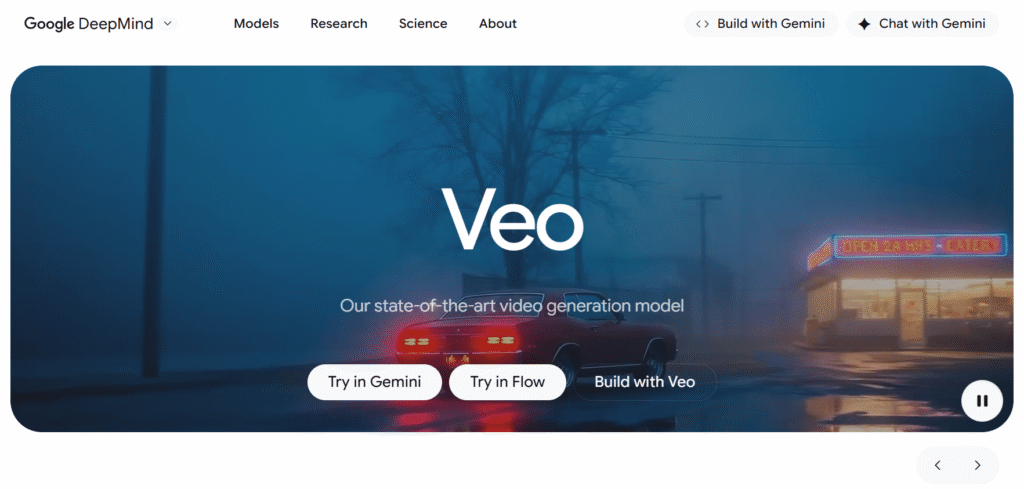
Built for real-world production use, Veo focuses on accurate physics, strong prompt understanding, cinematic lighting, and smooth motion—making it suitable for professional storytelling, ads, and social media content.
Key Features of Google Veo ✨
- Best-in-Class Video Realism
Google Veo 3 delivers industry-leading realism with accurate physics, natural motion, and cinematic lighting. Videos feel lifelike, not artificial. This makes it ideal for professional storytelling and high-end visuals. - Text-to-Video & Image-to-Video Generation
You can generate videos directly from text prompts or reference images with strong prompt adherence. The model understands context, scenes, and actions very precisely. This reduces trial-and-error and speeds up production.
- Native Audio & Dialogue Generation (Veo 3.1)
Veo 3.1 can generate synchronized audio, including background sound and dialogue. Audio is created in context with the visuals, making videos feel complete. No external audio tools are required. - Advanced Creative Controls
Creators can extend clips, define first and last frames, and maintain character or style consistency using reference images. These controls give more cinematic freedom. It’s especially useful for longer scenes and transitions. - Built for Scale with Fast Mode
Veo 3 Fast is optimized for speed and lower cost while maintaining high quality. It supports rapid iteration and high-volume generation. Perfect for apps, ads, and social content at scale.
Pricing Plans of Google Veo 💰
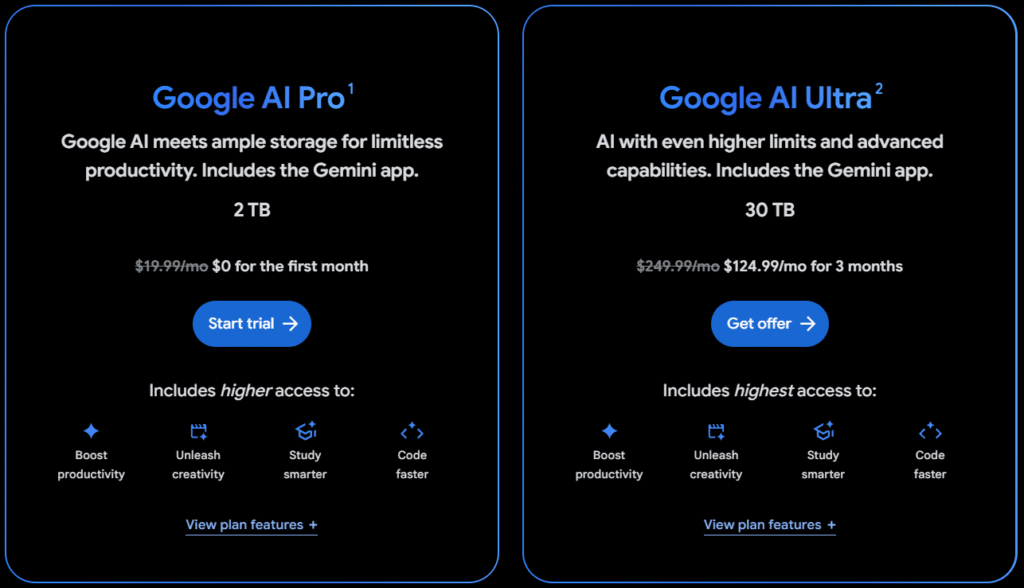
- Google AI Pro ($19.99/month) – Best for regular creators, offering Veo 3.1 Fast video generation, Gemini 3 Pro access, and 2TB cloud storage for daily AI tasks. $0 for the first month.
- Google AI Ultra ($249.99/month) – Built for professionals and studios, with full Veo 3.1 access, highest AI limits, advanced creative tools, and massive 30TB storage. $124.99 for 3 months.
Pros & Cons of Google Veo 🎯
| Pros ✅ | Cons ❌ |
|---|---|
| Exceptional video realism with accurate physics, lighting, and motion. | No standalone consumer app; primarily API and Google AI ecosystem based. |
| Native audio and dialogue generation built directly into videos. | Pricing bundled with Google AI plans, which can feel expensive for casual users. |
| Strong prompt adherence with cinematic-quality outputs. | Limited creative UI compared to dedicated video editing platforms. |
| Supports text-to-video, image-to-video, and reference-based generation. | Availability and features may vary by country. |
| Flexible aspect ratios including 16:9 and 9:16 for social platforms. | |
| Optimized Veo 3 Fast model for high-volume, rapid video generation. | |
| Seamless integration with Gemini, Google Photos, and Flow workflows. |
#2. Sora
Sora is an advanced AI video generation tool that transforms text prompts and images into short, high-quality videos using powerful generative models.
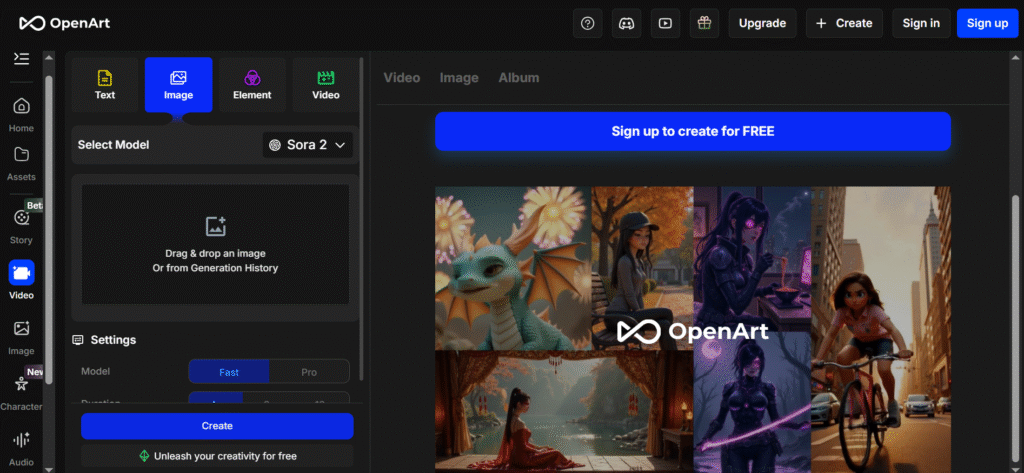
It allows creators to bring still visuals to life by adding motion, depth, and cinematic storytelling all without complex editing skills.
Key Features of Sora ✨
- Text-to-Video & Image-to-Video Generation
Sora allows you to convert simple text prompts or static images into short, realistic videos with natural motion and cinematic depth. It automatically adds camera movement and visual flow, making it ideal for quick storytelling, creative concepts, and social media content. - Multiple AI Video Models
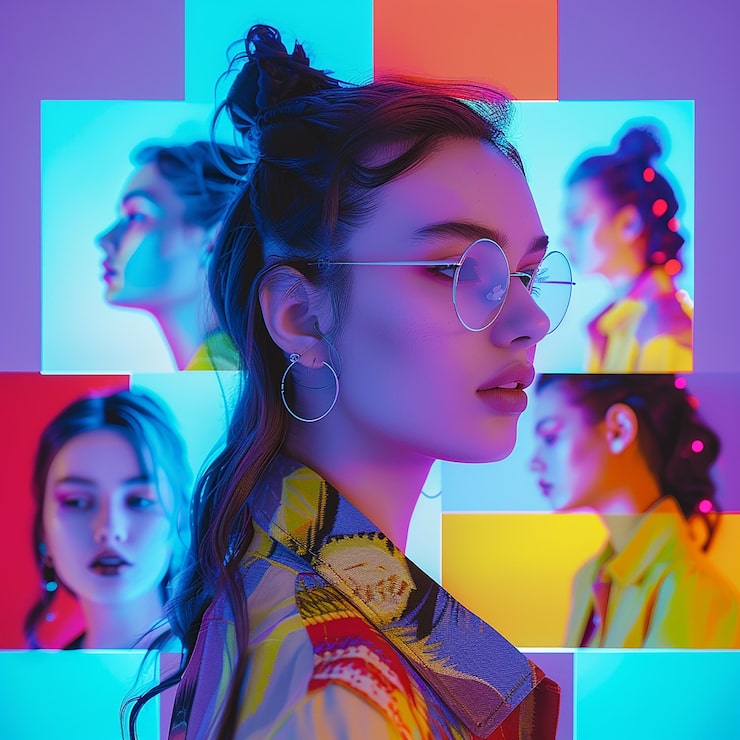
Sora offers different video generation models such as Fast and Pro, letting users choose between speed and higher visual quality. This flexibility makes it suitable for both rapid testing and producing polished, professional-looking videos.
- Flexible Video Duration Control
With support for 4s, 8s, and 12s video lengths, Sora helps creators generate clips that perfectly fit platforms like Instagram, TikTok, or presentations. You get precise control without the need for manual trimming. - Image Animation & Motion Depth
Sora can intelligently animate uploaded images by adding smooth motion, depth, and perspective. This transforms still visuals into engaging video content without requiring manual keyframes or complex editing skills. - Beginner-Friendly Creative Workflow
The clean, drag-and-drop interface makes Sora easy to use even for beginners. Users can focus on creativity while the AI handles rendering, motion, and visual consistency behind the scenes.
Pricing Plans of Sora 💰
- Sora does not currently offer fixed monthly or yearly pricing plans like traditional SaaS tools.
- Access is usually provided through platforms such as OpenArt, where Sora is available as a video generation model.
- Pricing works on a credit-based or usage-based system, meaning you pay based on video length and generation usage.
- New users often get free or limited trial credits to test Sora’s video capabilities.
- For higher usage or commercial projects, users need to purchase additional credits or upgrade platform tiers.
Pros & Cons of Sora 🎯
| Pros ✅ | Cons ❌ |
|---|---|
| Industry-leading cinematic video generation quality. | No transparent standalone pricing plans yet. |
| Strong prompt understanding with realistic motion and physics. | Access is limited and platform-dependent. |
| High-quality image-to-video and text-to-video output. | Not ideal for quick social-media-style videos. |
| Excellent depth, lighting, and scene consistency. | Longer generation times compared to lighter tools. |
| Supports multiple video durations and cinematic styles. | |
| Ideal for filmmakers, storytellers, and creative professionals. | |
| Powered by cutting-edge OpenAI research and models. |
#3. Runway
Runway is a powerful AI video generation and creative editing platform built for creators, filmmakers, marketers, and studios who want full control over video creation using artificial intelligence.
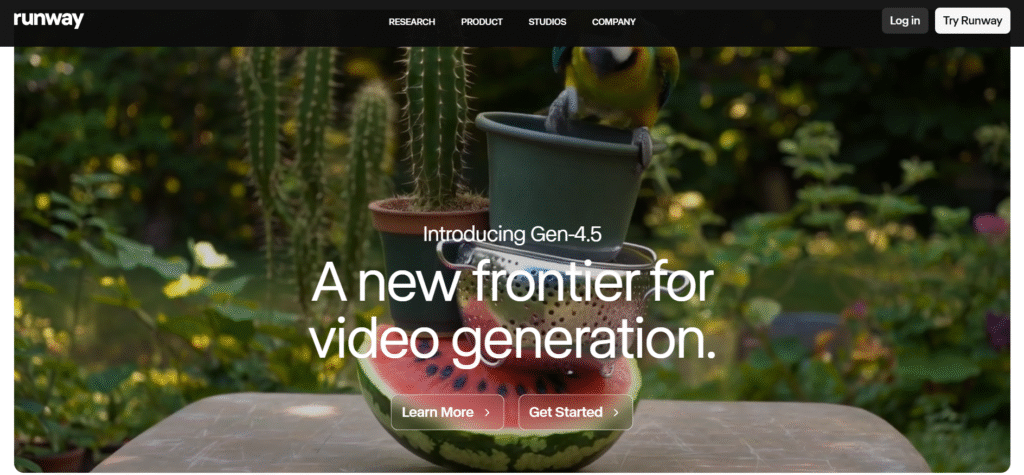
Instead of relying on traditional cameras, shoots, or heavy post-production workflows, Runway lets you generate, edit, transform, and enhance videos simply by using text prompts and AI-powered tools.
Key Features of Runway ✨
- AI Video Generation (Gen-4.5 Models)
Runway allows you to generate high-quality videos from simple text prompts using its latest Gen-4.5 AI models. These models focus on cinematic motion, realistic visuals, and consistent scenes. It’s ideal for creating short films, ads, and creative visuals without traditional filming. - Advanced Video Editing with AI Prompts
You can edit existing videos by changing lighting, style, background, or objects just by describing what you want. Tasks that normally take hours in traditional editors can be done in minutes. This makes Runway extremely powerful for fast-paced creative workflows.

- Text-to-Video & Image-to-Video Tools
Runway supports both text-to-video and image-to-video generation, giving creators more flexibility. You can turn static images into moving scenes or generate full videos from scratch. This is especially useful for storytelling, concept videos, and marketing content. - Custom Workflow Builder
Runway offers node-based workflows where you can chain multiple AI models together. This gives advanced users deep control over how content is generated and edited. It’s perfect for studios and professionals who want repeatable, scalable creative pipelines. - Enterprise-Ready & Industry Adoption
Runway is trusted by major brands, studios, and media companies for real production work. It supports secure APIs, team collaboration, and enterprise-grade usage. This makes it suitable not just for creators, but also for large organizations and film studios.
Pricing Plans of Runway 💰
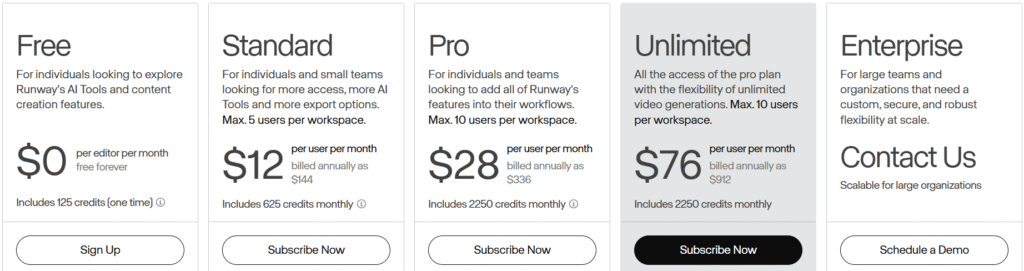
- Free Plan ($0) – Ideal for beginners who want to explore Runway’s AI tools with limited credits, basic video generation, and small storage at zero cost.
- Standard Plan ($12) – Best for solo creators and small teams needing full access to AI video models, workflows, watermark-free exports, and higher monthly credits.
- Pro Plan ($28) – Designed for professionals who want advanced features like custom voices, performance capture, large storage, and high-volume video generation.
- Unlimited Plan ($76) – Perfect for power users who need unrestricted video generations across all models with relaxed limits and maximum creative freedom.
Pros & Cons of Runway 🎯
| Pros ✅ | Cons ❌ |
|---|---|
| Cutting-edge text-to-video and image-to-video AI models. | Free plan offers very limited credits. |
| Professional-grade tools used by filmmakers and studios. | Pricing can be expensive for casual users. |
| Advanced video editing with AI-powered transformations. | Credit-based system may feel restrictive. |
| Supports multiple AI models like Gen-4.5, Aleph, and Act-Two. | Requires a learning curve for advanced workflows. |
| Node-based workflows give deep creative control. | |
| High-quality outputs suitable for commercial projects. | |
| Strong community, enterprise support, and studio partnerships. |
#4. KlingAI
Kling AI is an advanced AI video generation platform designed to turn ideas into highly realistic, cinematic videos using natural language prompts.
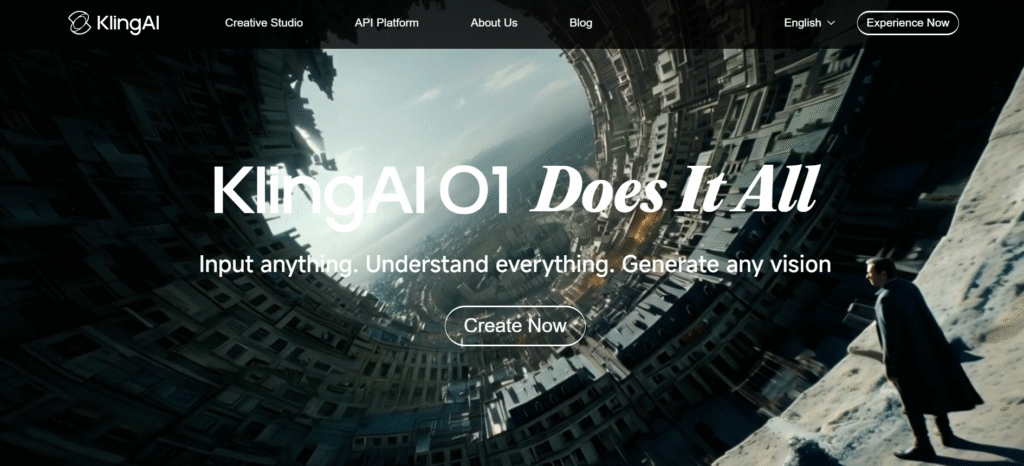
Built around the Multi-modal Visual Language (MVL) concept, Kling understands not just text, but also visual cues like camera movements, scenes, subjects, and styles making video creation far more intuitive than traditional tools.
Key Features of KlingAI 🔥
- Multi-Modal Visual Language (MVL) Understanding
Kling AI understands text, images, video references, and subject descriptions together, not separately. This allows it to capture your real creative intent instead of just following basic prompts. The result is videos that feel closer to what you imagined. - Cinematic Camera Control
You can describe advanced camera movements like handheld shots, dolly zooms, push-ins, rotations, and tracking shots in plain language. Kling AI accurately translates these into realistic camera behavior. This makes videos feel film-grade rather than AI-generated.

- High-Realism Motion & Physics
Kling AI excels at natural motion, body dynamics, and environmental realism. Movements look smooth, weighted, and believable instead of robotic. This is especially useful for cinematic storytelling and professional visuals. - Flexible Input → Any Vision Output
You can start with text prompts, images, or mixed references and Kling adapts intelligently. It understands complex scenes, changing perspectives, and evolving environments. This flexibility makes it powerful for both quick ideas and detailed productions. - Creator-Focused Workflow
Kling AI is built for speed and intuition, not technical complexity. You focus on creativity while the system handles interpretation and generation. This makes it ideal for creators, studios, and marketers who want fast, high-quality results without manual editing.
Pricing Plans of Kling 💰

- Basic (Free) – Best for testing Kling AI with limited access and non-commercial usage at zero cost.
- Standard ($6.99/month) – Ideal for casual creators who want affordable credits, fast generation, and commercial use.
- Pro ($25.99/month) – Great for serious creators needing higher credits, priority features, and consistent video production.
- Premier ($64.99/month) – Built for professionals handling large volumes with faster processing and advanced access.
- Ultra ($127.99/month) – Best for studios and power users needing massive credits, beta access, and maximum scalability.
Pros & Cons of KlingAI ⭐
| Pros ✅ | Cons ❌ |
|---|---|
| Advanced multi-modal understanding using natural language, images, and video inputs. | Free plan has very limited credits and no commercial usage. |
| High-quality AI video generation with strong prompt accuracy. | Pricing scales quickly for higher-tier plans. |
| Supports commercial usage on paid plans. | Interface may feel complex for complete beginners. |
| Fast-track generation and unlimited task queues on paid tiers. | Heavy projects can consume credits quickly. |
| Multiple plans available for creators, professionals, and studios. | |
| Frequent model updates like O1 Multi-Shot and voice control. | |
| Excellent for cinematic, creative, and experimental AI videos. |
#5. Wan 2.5
Wan 2.5 is an advanced AI video generator designed to create professional, production-ready videos with perfectly synchronized audio and lip-sync in a single pass.
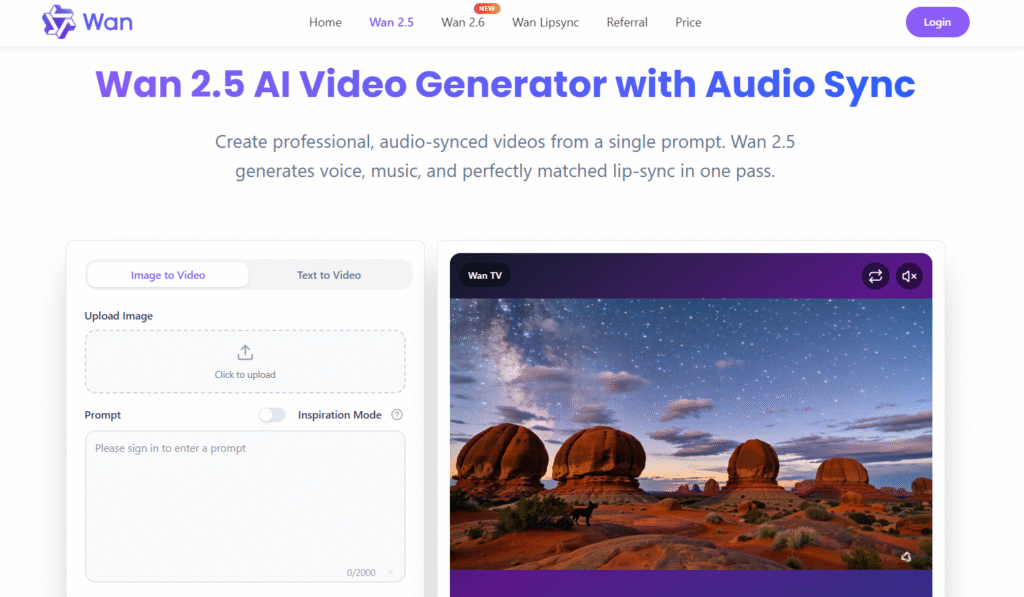
Unlike many AI video tools that require separate steps for visuals, voice, and editing, Wan 2.5 combines text-to-video or image-to-video, voice generation, background audio, and lip movement into one seamless workflow.
Key Features of Wan 2.5 ✨
- One-Prompt Audio-Visual Sync
Wan 2.5 generates video, voice, background music, and precise lip-sync in a single pass. There’s no need for separate voice recording or manual timeline adjustments. This dramatically reduces production time and makes videos instantly publish-ready. - Native Lip-Sync with Voice & Music
Unlike many AI video tools, Wan 2.5 natively understands speech timing and mouth movement. It keeps dialogue, expressions, and audio perfectly aligned throughout the clip. The result feels natural, clear, and human-like.

- Long-Duration, Stable Video Generation
Wan 2.5 supports longer videos—up to 10 minutes—while maintaining smooth motion and visual consistency. It avoids jitter, stutter, and uncanny artifacts even in extended scenes. This makes it suitable for professional storytelling and explainers. - Multilingual & Accent-Friendly Support
The model handles multiple languages and accents without breaking audio-visual synchronization. Pronunciation remains accurate even with mixed or non-English prompts. This makes global campaigns and multilingual education content far easier to produce. - Production-Ready Quality with Flexible Inputs
Users can generate videos from text or images and optionally upload their own audio to guide pacing. Wan 2.5 follows rhythm, tone, and emotion closely for expressive results. High-resolution exports and commercial licenses make it ideal for real business use.
Pricing Plans of Wan 2.5 💰

- Starter – $9.9 (One-Time): Ideal for beginners, includes 100 credits with 720p video export, no watermark, native audio, and commercial usage rights.
- Basic – $29.9 (One-Time): Best for regular creators, offers 330 credits, faster generation, 1080p exports, priority queue, and priority email support.
- Plus – $49.9 (One-Time): Perfect for scaling content, includes 600 credits, better visual stability, faster queues, and up to 5 concurrent jobs.
- Professional – $99.9 (One-Time): Designed for high-volume teams, provides 1,250 credits, fastest queue, bulk processing, early feature access, and 24/7 priority support.
Pros & Cons of Wan 2.5 🚀
| Pros ✅ | Cons ❌ |
|---|---|
| Native audio + perfect lip-sync generated in one pass. | No true free plan beyond limited trial usage. |
| Supports long-form videos up to 10 minutes with stable motion. | Credit-based system may feel complex for new users. |
| Text-to-video and image-to-video with built-in voice and music. | No monthly subscription option, only one-time credit packs. |
| Excellent multilingual and accent-friendly audio handling. | Advanced features require higher-tier plans. |
| High-quality 1080p exports with no watermark. | |
| Credits never expire, offering flexible long-term usage. | |
| Commercial usage license included in all paid plans. |
#6. InVideo AI
InVideo AI is an all-in-one AI video creation platform designed to turn any idea into a complete video without technical skills.
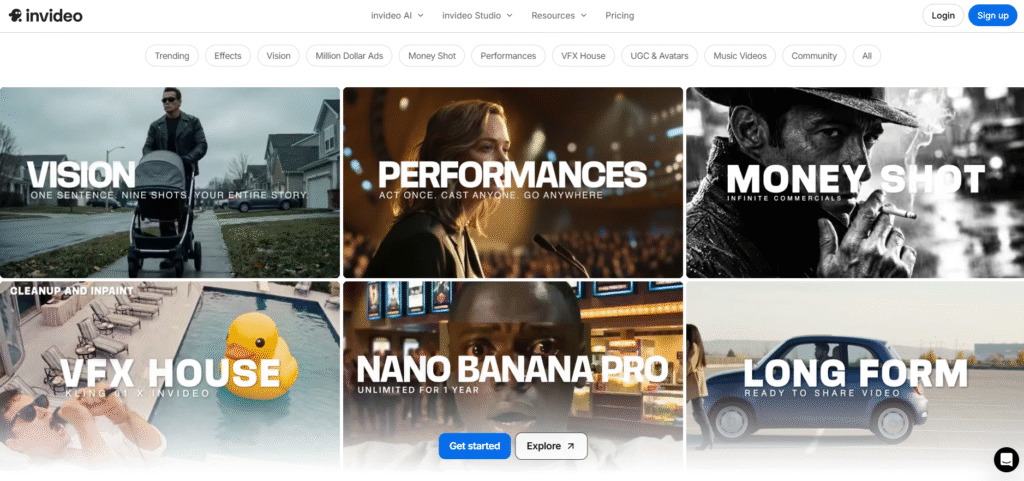
It lets users generate ads, explainers, UGC videos, social media clips, and cinematic content using text prompts, images, or simple instructions, all inside a browser-based studio.
Key Features of Invideo ✨
- AI Text-to-Video Creation
InVideo AI turns simple text prompts into complete videos with visuals, scenes, music, and voiceovers automatically added. You don’t need editing experience or timelines to get started. This makes video creation extremely fast for ads, stories, and explainers. - Massive AI Effects & Styles Library
The platform offers hundreds of ready-to-use AI effects, cinematic styles, camera motions, and visual presets. Users can create everything from UGC ads to luxury promos and viral social content. This removes the need to design effects from scratch.

- Built-in Voiceovers, Music & Captions
InVideo AI can generate voiceovers, background music, and captions in one workflow. You can translate voices, change tone, or add subtitles with a single command. This is ideal for global audiences and short-form platforms. - UGC Ads, Avatars & Performance Videos
It supports AI avatars, UGC-style ads, and performance-based video formats that are optimized for marketing. Brands can quickly produce creator-style content without hiring actors. This is especially useful for ecommerce and paid ads. - All-in-One Online Video Studio
Beyond AI generation, InVideo includes a full online editor for trimming, reframing, color grading, and cleanup. You can fine-tune AI-generated videos or build custom edits manually. Everything works directly in the browser with no downloads needed.
Pricing Plans of Invideo 💰

- Free – $0: Basic trial with limited minutes, watermark, no generative AI.
- Plus – $28/mo: Entry paid plan for stock videos and light AI use.
- Max – $50/mo: Higher credits, more video minutes, faster creation.
- Generative – $100/mo: Best for ads and films with strong AI video power.
- Team – $899/mo: High-volume plan for teams with massive credits.
- Enterprise – Custom: Tailored pricing for large organizations.
Pros & Cons of Invideo 🚀
| Pros ✅ | Cons ❌ |
|---|---|
| All-in-one AI video platform with editing, avatars, and effects. | Free plan is very limited and adds watermarks. |
| Supports multiple top AI models like Veo, Sora, Kling, and Wan. | Generative video minutes are capped on lower plans. |
| Large library of ready-to-use templates for ads, reels, and UGC. | Credit-based system may feel confusing for beginners. |
| Unlimited exports and image generation on paid plans. | Higher-tier plans can get expensive for solo creators. |
| Strong focus on marketing, ads, and social media content. | |
| Team collaboration with storage and multi-user support. | |
| Fast workflow—script, generate, edit, and export in one place. |
Which Is the Best AI Video Generator? 👌
Choosing the best AI video generator today depends on one core factor: how close the output feels to real, professional video. While many tools are great for templates, quick edits, or social clips, only a few truly push the boundaries of realism, motion, audio, and storytelling.
When we compare quality, control, and future potential together, one tool clearly stands out.
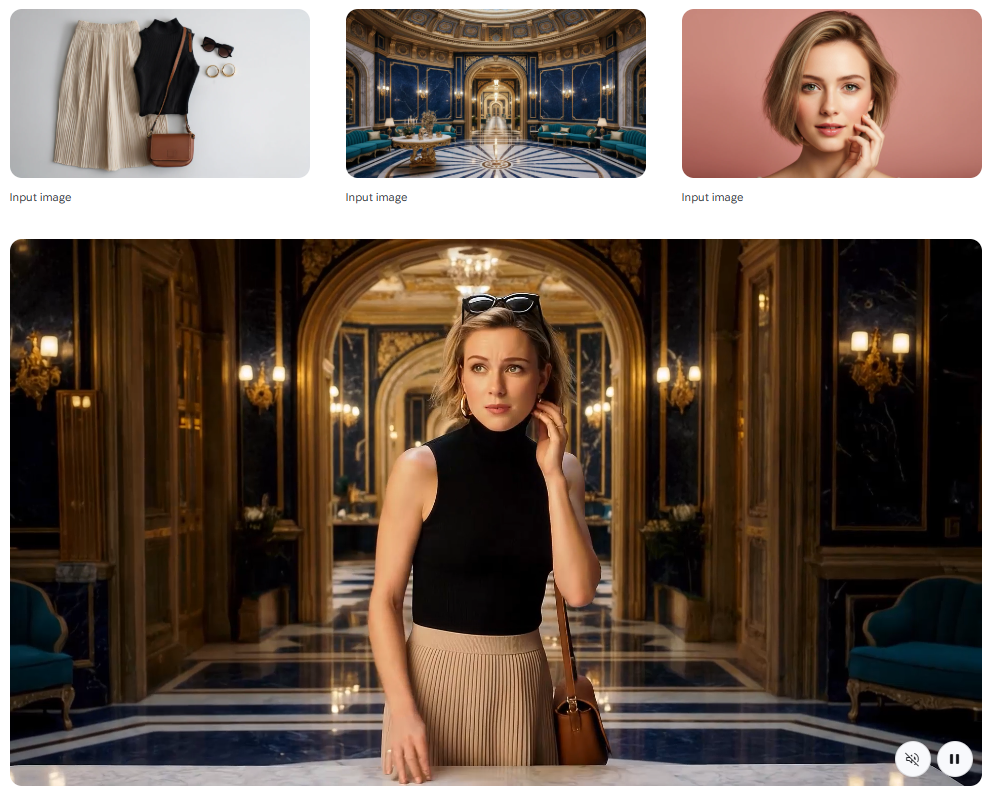
Google Veo (Winner 🏆)
Google Veo is the best AI video generator right now, especially for users who care about cinematic realism and next-level video generation. Veo 3.1 delivers unmatched visual physics, realistic lighting, accurate motion, and most importantly native audio and dialogue generation, something most competitors still struggle with.

What truly sets Google Veo apart is its prompt adherence and creative control. You can guide scenes using reference images, control camera transitions with first and last frames, extend clips into longer scenes, and generate video with synchronized sound in one go.
Backed by Google’s Gemini ecosystem and API infrastructure, Veo isn’t just a tool—it’s a foundation for the future of AI filmmaking, ads, and storytelling.
Conclusion 🔥
AI video generation has reached a point where it can truly replace large parts of traditional video production.
After comparing all the leading tools in this space, it’s clear that while many platforms excel in speed, templates, or ease of use, only one delivers a complete, next-generation video creation experience.
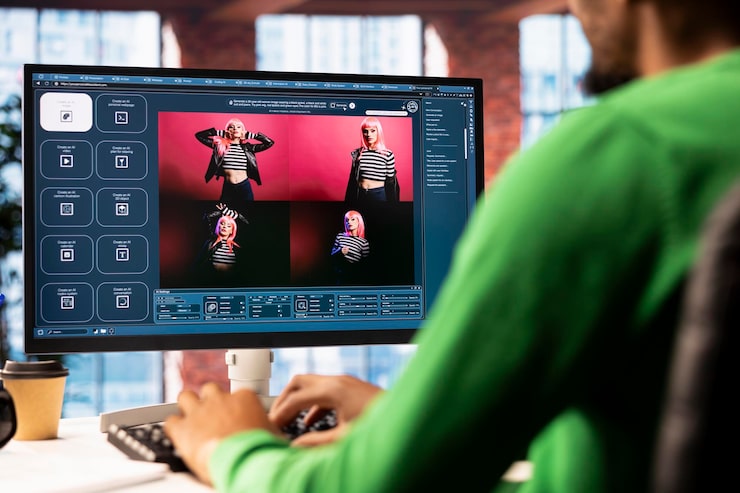
Tools like InVideo AI, Runway, Kling AI, Sora, and Wan 2.5 are powerful in their own ways and serve specific audiences well from marketers and social media creators to educators and teams.
However, when you factor in cinematic realism, accurate physics, native audio with dialogue, prompt precision, and long-term scalability, Google Veo stands in a league of its own.
Must Read:
- Wondershare Video Converter To Edit, Convert Or Burn Videos
- 5+ Best Free AI Tools That Are Changing Game
FAQs 💬
AI tools can handle most routine and creative tasks, but complex storytelling and brand-level polishing may still need human input.
Yes, since video generation happens in the cloud, you only need a stable internet connection and a browser.
Most platforms allow commercial use on paid plans, but license terms should always be checked before publishing.
Depending on the tool and video length, generation usually takes anywhere from a few seconds to a few minutes.
Yes, most modern AI video generators support vertical (9:16) and square formats for social media platforms.