
Do you want to create blogs, ads, emails, and website content faster without compromising on quality or clarity? 👌
If yes, you’re in the right place. 🤩
AI content writing tools have transformed the way creators, marketers, and businesses handle content creation.
Whether it’s SEO-friendly articles, persuasive ad copy, polished emails, or long-form content, these tools help you save time while maintaining consistency and accuracy.
In this article, we’ll explore the Best AI Content Writing Tools, including Writesonic, Jasper, Anyword, Grammarly, Claude, and Copy.ai, to help you find the perfect tool for your content needs.
#1. Jasper 🥇
Jasper is an AI-powered content automation platform built specifically for marketers and marketing teams.
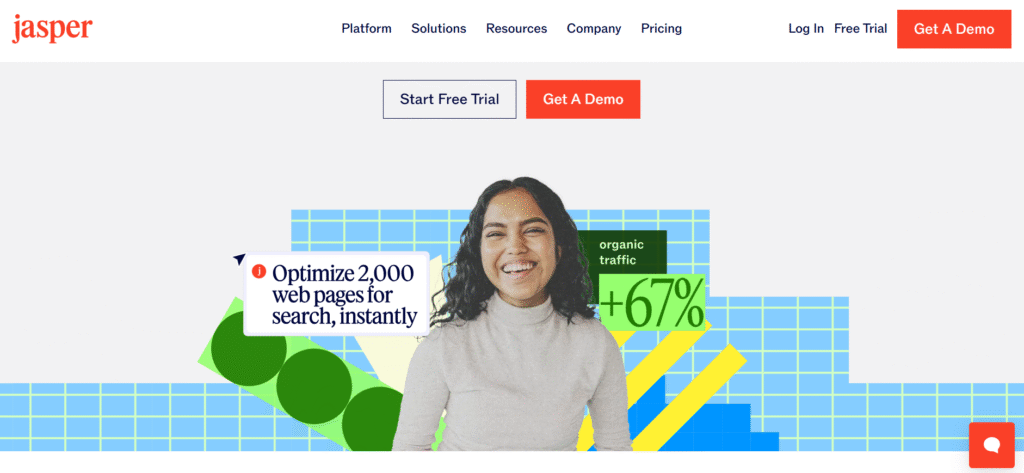
It helps businesses plan, create, optimize, and scale content across blogs, ads, emails, landing pages, social media, and campaigns—while maintaining a consistent brand voice.
Key Features of Jasper ✨
- AI Content Pipelines (End-to-End Automation)
Jasper automates the full content lifecycle—from planning and ideation to creation and publishing. It connects strategy, data, and execution into one workflow. This helps marketing teams scale content faster without manual coordination. - Jasper IQ (Brand & Context Intelligence)
Jasper IQ stores your brand voice, style guide, audience details, and business knowledge in one place. Every piece of content stays consistent, accurate, and on-brand. This is especially useful for teams working across multiple channels.

- AI Agents & Jasper Grid
Jasper uses intelligent AI agents to handle tasks like SEO optimization, rewriting, personalization, and localization. With Jasper Grid, you can build custom, automated workflows without coding. This reduces repetitive work and boosts team productivity. - Marketing-Focused Content Editor (Canvas & Studio)
Jasper’s editor is built specifically for marketers, not generic writing. It supports long-form blogs, ad copy, emails, landing pages, and campaigns. Teams can plan, write, edit, and collaborate in one place. - Enterprise-Grade Security & Brand Control
Jasper offers strong data protection, compliance, and governance features. Content remains private, safe, and aligned with company policies. This makes it suitable for enterprises and regulated industries.
Pricing Plans of Jasper 💰
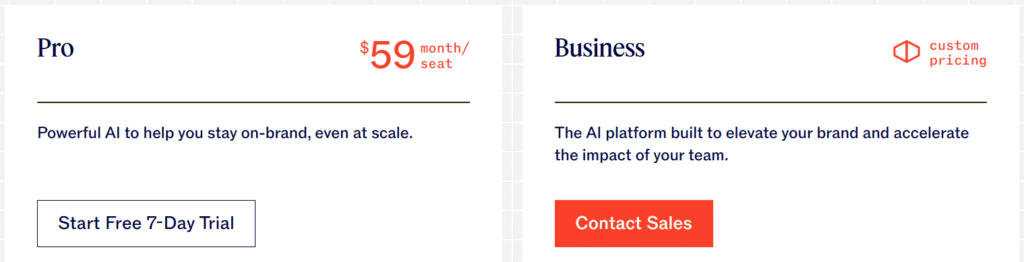
- Pro ($59/mo yearly / $69 monthly) – On-brand AI writing for individuals and small teams.
- Business (Custom pricing) – Advanced AI automation, agents, API, and enterprise controls for large teams.
Pros & Cons of Jasper 📊
| Pros ✅ | Cons ❌ |
|---|---|
| Built specifically for marketing teams, not generic writing. | Higher starting price than basic AI writers. |
| Strong brand voice control with Jasper IQ. | Can feel complex for solo beginners. |
| Automates full content pipelines from idea to publish. | Best features locked behind Business plan. |
| Excellent for SEO, ads, and long-form content. | Requires setup time for brand training. |
| Built-in collaboration and workflow automation. | |
| Enterprise-grade security and governance. | |
| Supports 30+ languages with consistent tone. |
#2. Writesonic
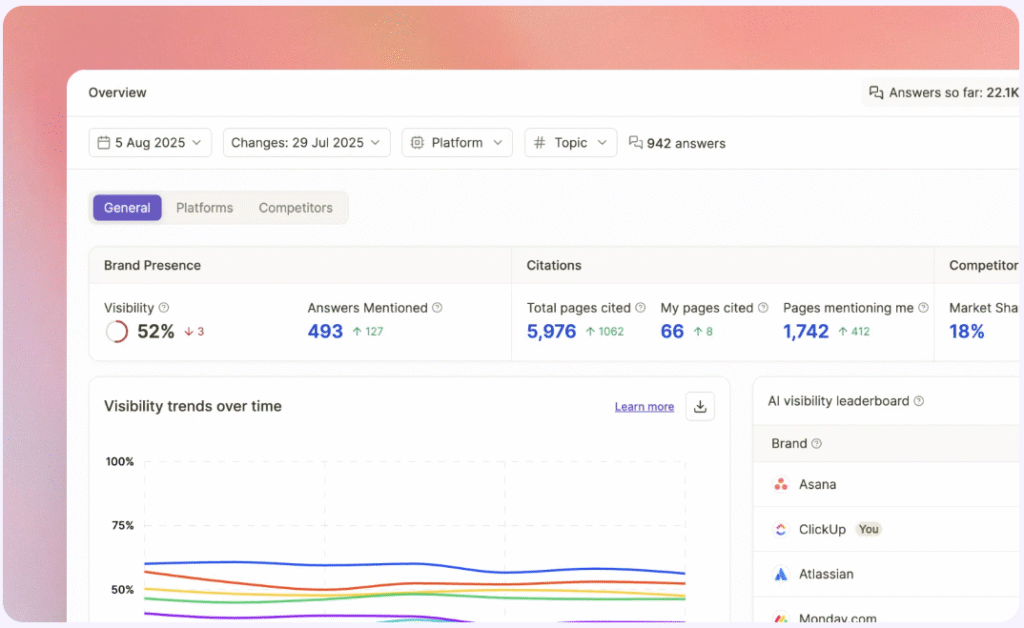
Writesonic is an AI-powered content and SEO platform designed to help brands track, optimize, and win visibility in AI search results like ChatGPT, Google AI Mode, and other generative engines.
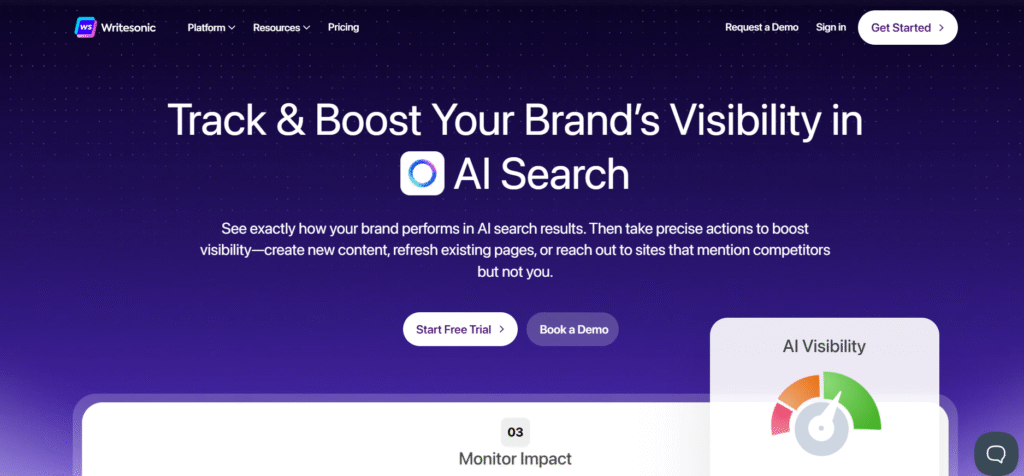
Unlike traditional AI writers, Writesonic goes beyond just content creation. It shows how AI talks about your brand, where competitors are getting cited, and what actions you need to take such as creating new content, fixing SEO issues, refreshing pages, or earning citations to improve your AI visibility.
Key Features of Writesonic 🌟
- AI Visibility Tracking Across Platforms
Writesonic tracks how your brand appears in AI answers across ChatGPT, Google AI Mode, and other AI systems. You can see sentiment, share of voice, and exactly where competitors are being recommended instead of you. This helps you understand real AI search performance, not just keyword rankings. - Actionable AI Visibility Fixes
Instead of vague suggestions, Writesonic gives clear, step-by-step actions to improve visibility. It tells you whether to create new content, refresh old pages, fix schema issues, or earn citations from trusted sites. Every insight is tied to a direct action you can take.
- AI-Optimized Content Engine
The platform helps you create content that AI models actually cite and recommend. It analyzes top-ranking competitor pages and generates articles with better structure, depth, EEAT signals, and brand voice alignment. This increases both Google rankings and AI search visibility. - Real AI Search & Prompt Data
Writesonic tracks real user prompts, not just keywords, using data from 120M+ AI conversations. You can see what people actually ask AI tools and how often those questions appear. This allows you to build content around real intent, not assumptions. - Automated SEO & Technical Fixes
Writesonic scans your site for technical SEO issues that block AI and search engines. It detects problems like broken schemas, crawl errors, and indexing issues, then suggests instant fixes. This removes technical barriers without needing developers or manual audits.
Pricing Plans of Writesonic 💰

- Lite ($39/month, billed annually) – Best for freelancers needing professional SEO tools and AI content creation without AI search visibility.
- Standard ($79/month, billed annually) – Ideal for small teams scaling SEO and content with higher article limits and AI agents.
- Professional ($199/month, billed annually) – Best for growing brands needing full SEO, AI search visibility (GEO), and competitive tracking.
- Advanced ($399/month, billed annually) – Designed for scaling teams focused on improving AI visibility with advanced actions and higher limits.
- Enterprise (Custom pricing) – Tailored solution for large brands and agencies with custom GEO strategy, security, and dedicated support.
Pros & Cons of Writesonic ⚡
| Pros ✅ | Cons ❌ |
|---|---|
| Tracks real AI search visibility across ChatGPT, Gemini, Perplexity, and more. | AI Search Visibility (GEO) is not available on lower plans. |
| Combines SEO, AI content writing, and AI search tracking in one platform. | Pricing may feel high for solo creators or beginners. |
| AI Article Writer creates fact-checked, EEAT-optimized content. | Learning curve due to the large number of features. |
| Real AI prompt volume data based on live AI conversations. | Unlimited features are subject to fair-usage limits. |
| Automated technical SEO fixes without needing developers. | |
| Action-based recommendations to improve AI and Google visibility. | |
| Enterprise-grade security with SOC 2, GDPR, and HIPAA compliance. |
#3. Anyword
Anyword is a data-driven AI content writing platform built specifically for performance-focused marketing teams. Unlike generic AI writers, Anyword doesn’t just generate copy—it predicts how well that copy will perform before you publish it.
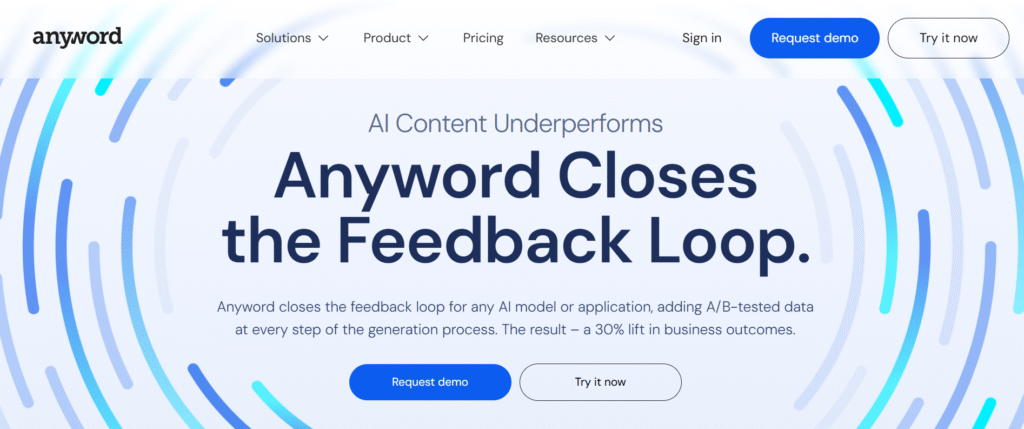
At its core, Anyword closes the feedback loop in AI content creation by combining generative AI with A/B-tested performance data.
Key Features of Anyword 🤩
- Predictive Performance Scoring – Anyword assigns a performance score to every content variation before publishing, predicting which version will perform best based on audience, goal, and channel. This removes guesswork and helps teams confidently choose high-impact copy without running manual A/B tests.
- A/B-Tested AI Training – Anyword is trained on real A/B-testing data instead of generic internet text, making its predictions more accurate than standard AI tools. This data-backed approach ensures the content you publish is optimized for real business outcomes, not assumptions.
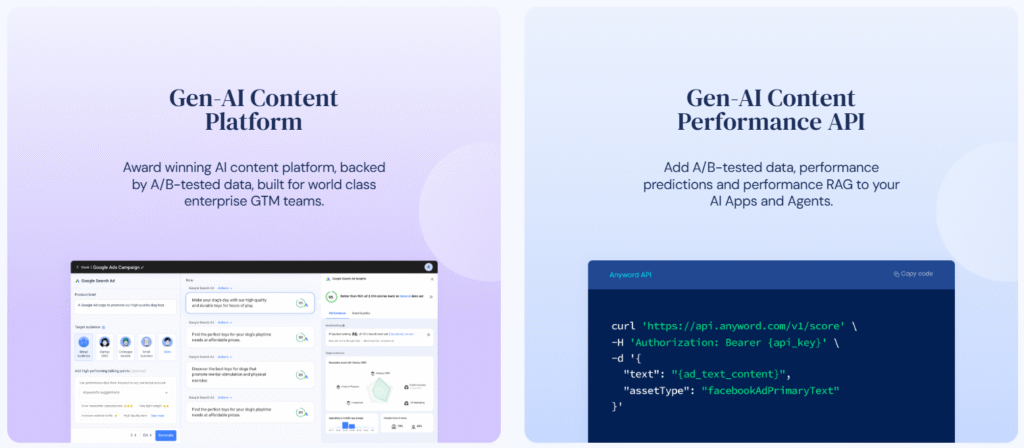
- Persona-Based Content Generation – You can instantly create detailed buyer personas with specific pain points, intents, and motivations. Anyword then adapts messaging for each persona automatically, making personalization scalable across ads, emails, and landing pages.
- Multi-Channel Content Optimization – Anyword supports performance-optimized content for ads, email, social media, landing pages, and SEO. Each channel receives tailored copy suggestions with built-in performance insights to maximize engagement and conversions.
- Enterprise-Grade Security & Reliability – Built for large GTM teams, Anyword offers enterprise-level security with SSO, role-based permissions, compliance certifications, and high reliability. This makes it safe for organizations that require strict data privacy and operational control.
Pricing Plans of Anyword 💰

- Starter ($39/month) – For solo users needing unlimited AI copy with basic performance data.
- Data-Driven ($79/month) – For small teams wanting real-time performance predictions.
- Business (Custom Pricing) – For teams optimizing content using past campaign data.
- Enterprise (Custom Pricing) – For large brands needing custom AI, security, and full control.
Pros & Cons of Anyword ⭐
| Pros ✅ | Cons ❌ |
|---|---|
| Performance-based AI with predictive copy scoring. | Pricing is higher than basic AI writing tools. |
| Uses A/B-tested data to choose high-converting content. | Best features are limited to higher-tier plans. |
| Excellent for ads, emails, landing pages, and CTAs. | Not ideal for casual or hobby writers. |
| Real-time performance prediction while editing copy. | Learning curve for first-time users. |
| Strong audience targeting and persona-based writing. | |
| Unlimited copy generation on paid plans. | |
| Enterprise-grade security, SSO, and compliance support. |
#4. Grammarly
Grammarly is an AI-powered writing assistant designed to help individuals and teams write clearly, confidently, and professionally across emails, documents, chats, and web content. It goes beyond basic grammar checks by offering real-time suggestions for tone, clarity, engagement, and correctness while preserving the writer’s original voice.
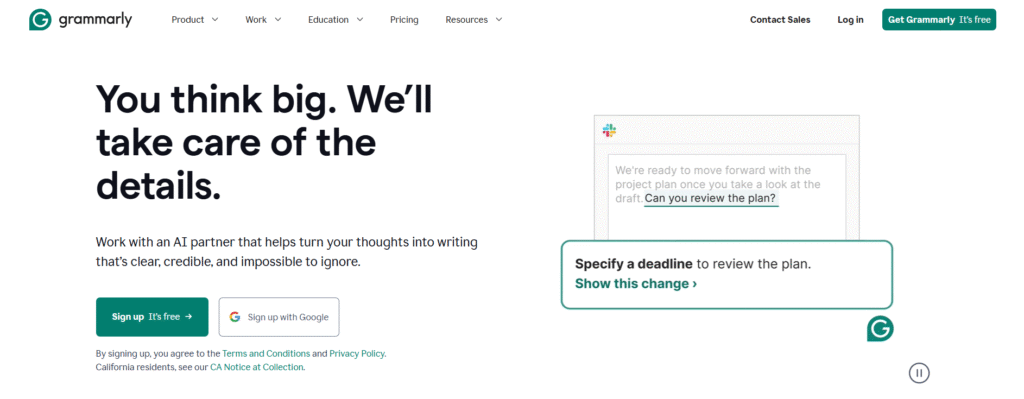
Grammarly works seamlessly across browsers, desktop apps, mobile devices, and popular tools like Google Docs, Microsoft Office, Slack, and email platforms.
Key Features of Grammarly 🌟
- AI Writing & Grammar Assistance
Grammarly checks grammar, spelling, punctuation, and sentence structure in real time. It improves clarity and readability while keeping your original writing style intact. Works across emails, documents, and web editors. - Tone Detection & Style Suggestions
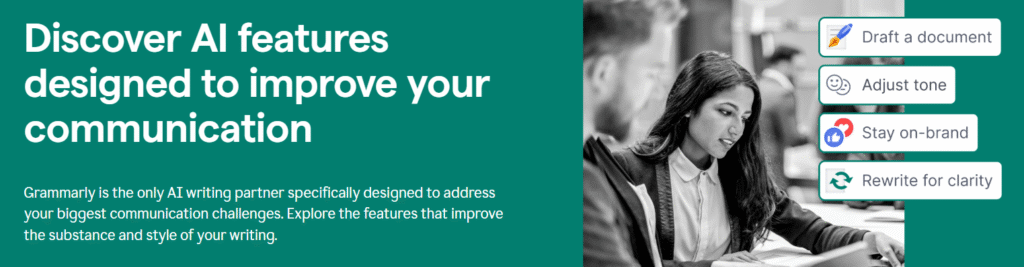
Grammarly analyzes your tone and suggests adjustments to sound more professional, confident, or friendly. It helps match your message to the audience without changing your intent. Useful for work, academic, and brand writing.
- AI Text Generation & Rewriting
With built-in generative AI, Grammarly can create, rewrite, or expand text using prompts. You can shorten, rephrase, or improve full sentences instantly. Saves time while maintaining quality. - Reader Reaction & Feedback Insights
Grammarly shows how readers may perceive your content before you send it. It highlights clarity issues and emotional impact. This helps reduce misunderstandings and improves communication effectiveness. - Cross-Platform & App Integrations
Grammarly works on browsers, desktop apps, mobile devices, and tools like Google Docs, Microsoft Office, Slack, and email. Writing assistance stays consistent everywhere you write. No switching between tools.
Pricing Plans of Grammarly 💰
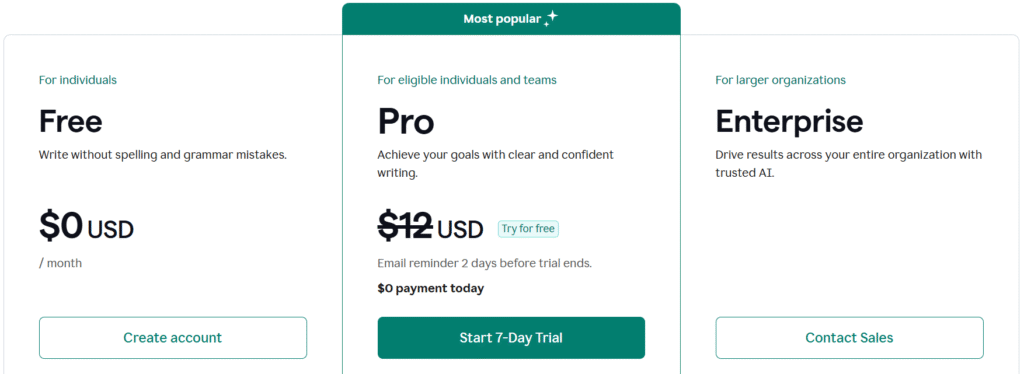
- Free ($0/month) – Basic grammar checks, tone detection, and 100 AI prompts.
- Pro ($12) – Advanced rewriting, plagiarism detection, and 2,000 AI prompts.
- Enterprise – Unlimited AI prompts, top-level security, and dedicated support.
Pros & Cons of Grammarly 🎯
| Pros ✅ | Cons ❌ |
|---|---|
| Excellent grammar, spelling, and punctuation correction. | Advanced features are locked behind the Pro plan. |
| Real-time writing suggestions across apps and browsers. | AI text generation is limited compared to full AI writers. |
| Powerful tone detection and clarity improvements. | Not ideal for long-form SEO or blog automation. |
| Works seamlessly with Google Docs, MS Word, email, and Slack. | Occasional over-suggestions that may change writing style. |
| Strong plagiarism and AI-detection tools. | |
| Enterprise-grade privacy, security, and compliance. | |
| Ideal for students, professionals, and teams. |
#5. Claude
Claude is an AI assistant made that’s built for problem-solvers people who want help writing, researching, planning, and coding with a strong focus on safety, accuracy, and security.

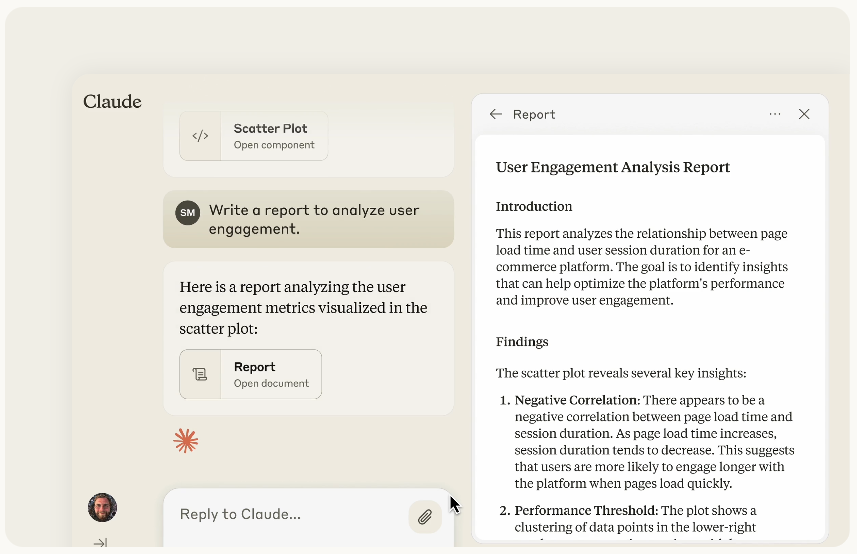
What makes Claude different is its “work-with-you” style: you can chat normally, upload text/images for analysis, generate code, and even build things inside chat using Artifacts (like drafts, docs, simple web pages, and code outputs you can iterate on).
Key Features of Claude ✨
- Advanced AI Writing & Reasoning
Claude helps you write, edit, summarize, and refine content with strong logical reasoning, making it ideal for long-form writing, structured thinking, and complex instructions without losing context. - Artifacts for Real Work Creation
With Artifacts, Claude lets you create and edit documents, code, websites, and drafts directly inside the chat, allowing smooth iteration and collaboration without restarting from scratch.
- Deep Research & Extended Thinking
Claude can handle multi-step research and complex problem-solving by breaking down questions carefully, which is especially useful for reports, strategy planning, and detailed analysis. - Safety-First & Reliable Outputs
Built by Anthropic, Claude is trained with a strong focus on safety, accuracy, and responsible AI, making its responses more balanced, cautious, and suitable for professional use. - Flexible Plans & Broad Access
Claude works on web, iOS, and Android with Free, Pro, and Max plans, letting users scale usage easily from casual tasks to high-volume, advanced workloads.
Pricing Plans of Claude 💰

- Free ($0) – Basic access to Claude for writing, editing, coding, image analysis, and web search on web, desktop, and mobile.
- Pro ($17/month annually) – Higher usage limits with advanced models, Research tools, extended thinking, Google Workspace integration, and Claude Code access.
- Max (from $100/month) – 5×–20× more usage, higher output limits, memory across chats, early feature access, and priority availability for power users.
Pros & Cons of Claude 📊
| Pros ✅ | Cons ❌ |
|---|---|
| Extremely strong at reasoning, long-form writing, and complex problem solving. | Higher plans can get expensive for heavy usage. |
| Excellent safety, accuracy, and alignment compared to many AI models. | Usage limits apply even on paid plans. |
| Supports advanced research, extended thinking, and multi-step reasoning. | Fewer creative-style templates compared to some marketing-focused tools. |
| Handles long documents, code, and structured analysis very well. | No built-in SEO scoring or marketing performance metrics. |
| Strong privacy focus with enterprise-grade security and compliance. | |
| Integrates with tools like Google Workspace, Slack, Excel, and APIs. | |
| Multiple model options (Opus, Sonnet, Haiku) for different workloads. |
#6. Copy.ai
Copy.ai is an AI-native Go-To-Market (GTM) platform designed to replace scattered AI copilots and point solutions with one unified system.
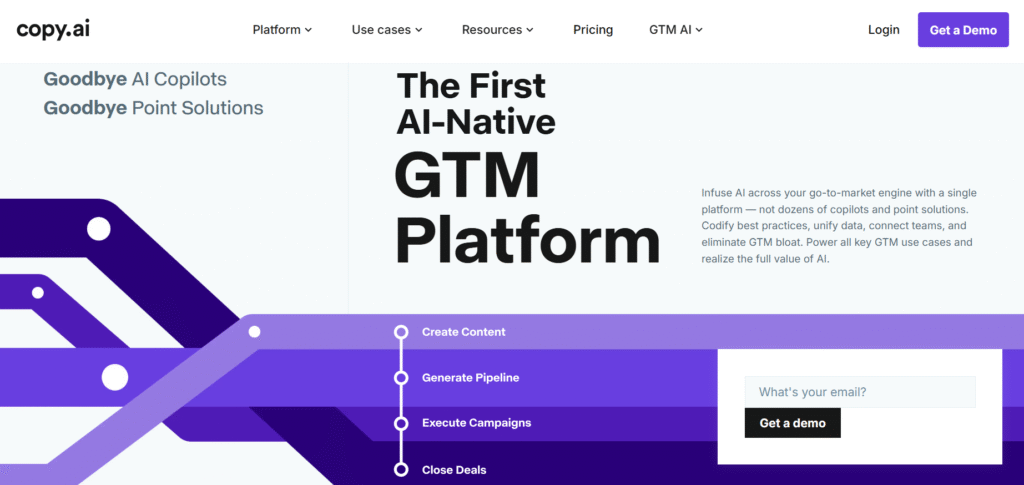
Instead of using dozens of disconnected tools for sales, marketing, and operations, Copy.ai infuses AI across the entire GTM engine helping teams plan, execute, and scale revenue activities from a single platform.
Key Features of Copy.ai 🌟
- AI-Native GTM Workflows
Copy.ai lets teams build AI-powered workflows that codify sales, marketing, and operations best practices. These workflows automate repetitive GTM tasks and ensure every team follows the same proven playbooks. This removes dependency on scattered tools and manual processes. - Unified Content Creation Engine
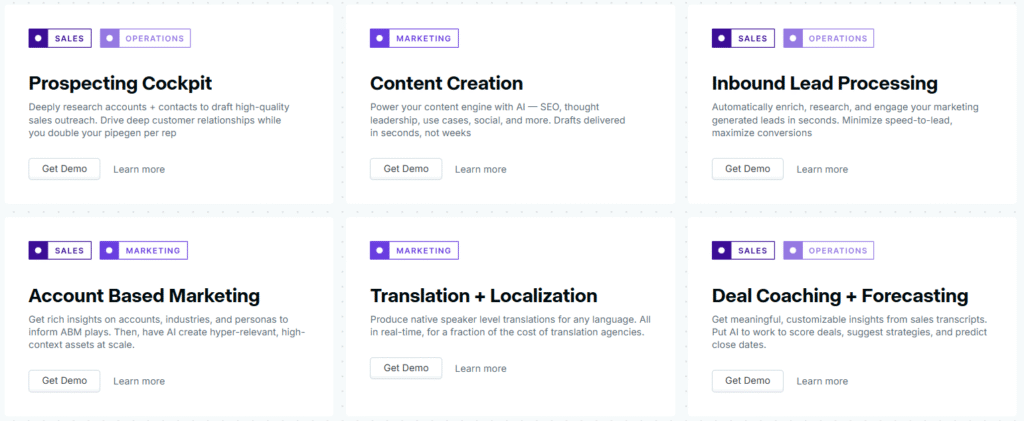
The platform generates high-quality content for SEO, thought leadership, sales outreach, ABM, and social media in seconds. AI drafts are created with context, brand voice, and intent baked in. Teams move from idea to publish without bottlenecks or agencies.
- Sales Prospecting & Deal Intelligence
Copy.ai deeply researches accounts, contacts, and industries to craft personalized outreach at scale. It also analyzes sales conversations to suggest deal strategies, improve forecasts, and increase win rates. Reps spend less time researching and more time closing. - AI Agents & Automation Blocks
Built-in AI agents handle targeted GTM tasks with guardrails, reducing risk and errors. Actions, tables, chat, and agents work together to automate decisions across teams. This allows non-technical users to harness AI without complex setup. - Enterprise-Ready GTM Platform
Copy.ai offers enterprise-grade security, governance, and compliance with SOC 2, GDPR, and SSO. It integrates with 2,000+ tools and supports multiple AI models. Teams can scale AI safely across the entire revenue organization.
Pricing Plans of Copy.ai 💰
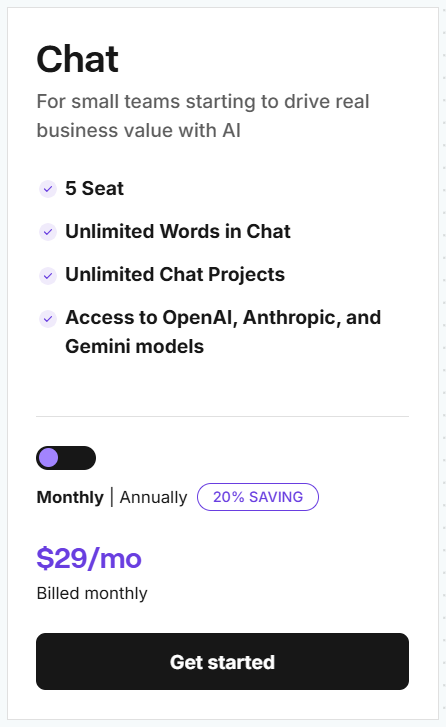
Self-Serve (Chat Plan – $29/month) – Built for small teams, offering unlimited chat words and projects with access to OpenAI, Anthropic, and Gemini models for everyday GTM and content tasks.
Pros & Cons of Copy.ai 💰
| Pros ✅ | Cons ❌ |
|---|---|
| AI-native GTM platform that replaces multiple sales, marketing, and ops tools. | Pricing can feel high for solo creators or bloggers. |
| Powerful workflow automation for prospecting, content, ABM, and forecasting. | Requires setup time to fully customize workflows. |
| Supports multiple LLMs including OpenAI, Anthropic, and Gemini. | Overkill for users needing only basic AI writing. |
| Centralized brand voice ensures consistent messaging across teams. | Credit-based workflows may need monitoring at scale. |
| Deep integrations with Salesforce, HubSpot, Gong, and other GTM tools. | |
| Enterprise-grade security with SOC 2, GDPR, and SSO support. | |
| Proven ROI with large cost savings and productivity gains for GTM teams. |
Which Is Best AI Content Writing Tool? 👌
With so many AI writing tools promising faster content, better SEO, and higher conversions, choosing the best AI content writing tool can feel overwhelming. Some focus on grammar, others on SEO, and a few aim to replace entire marketing workflows.
The real winner is the tool that delivers consistent, scalable, and on-brand results, not just good-sounding text.

Why Jasper Wins? 🥇

Jasper stands out because it’s built for serious content and marketing teams, not casual writing. Unlike generic AI tools, Jasper focuses on automating the entire content lifecycle from planning and drafting to optimization and scaling while keeping brand voice intact.
Jasper’s biggest strength is brand control at scale. Its Brand Voice, Style Guide, and Knowledge features ensure every blog, ad, or landing page sounds consistent, even when multiple team members use the tool. This is a major problem most AI writers fail to solve.
Conclusion 🔥
Choosing the best AI content writing tool isn’t about who generates text the fastest—it’s about who helps you create content that actually performs. While tools like Grammarly, Copy.ai, Anyword, Writesonic, and Claude each serve specific use cases, they often focus on isolated tasks rather than the full content journey.

Jasper clearly stands out by combining brand control, marketing intelligence, and scalable automation into one powerful platform. It doesn’t just help you write it helps you plan, optimize, and scale content with confidence, consistency, and real business impact.
If you’re serious about content, SEO, and long-term growth, Jasper isn’t just an AI writer it’s a complete content engine. 🚀
Must Read:
- 5+ Best Free AI Tools That Are Changing Game
- Wondershare Video Converter To Edit, Convert Or Burn Videos
FAQs 💬
No. They speed up writing and research, but human editing is still needed for originality, accuracy, and brand nuance.
Yes, if used correctly. Tools that focus on structure, intent, and originality work well with Google when content is reviewed by humans.
Most modern AI writing tools support multiple languages, but quality may vary across regions and tones.
Yes. With proper prompts and context, they can handle SaaS, marketing, finance, education, and more.
Detection depends on usage. Well-edited, human-reviewed content is far harder to flag than raw AI output.