
Are you looking for the best free AI tools to boost productivity, design, research, and creativity without spending a dime? 🤩
If yes, you’re in the right place! ✅
In today’s fast-paced digital world, having access to powerful AI tools can make all the difference. From generating creative content to analyzing data or designing stunning visuals, the right AI tools can save time and elevate your work.
That’s why we’ve curated a list of the Best Free AI Tools that every professional, student, or creator should know.
Our top picks include ChatGPT for smart conversation and content generation, Canva for effortless graphic design, Google Gemini for advanced AI-powered search and insights, Perplexity for fast question-answering, Gamma AI for AI-assisted presentations, and Leonardo AI for stunning image generation.
These tools are free, easy to use, and packed with features to help you work smarter, not harder.
#1. Google Gemini 🏆
Google Gemini is Google’s newest AI technology, designed to be your super-smart assistant across various tasks!
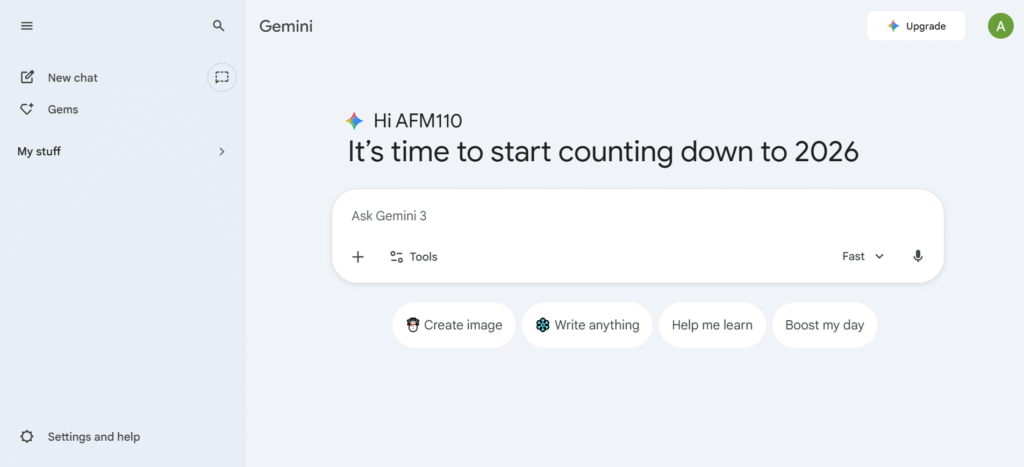
It’s basically a next-gen AI tool that combines the power of language understanding and image recognition to help with everything from answering questions to generating creative content.
Key Features of Google Gemini 🌟
- Advanced Language Understanding
Google Gemini is designed to understand and generate human-like text. It can answer your questions, generate essays, and assist with content creation. This makes it a powerful tool for everything from casual chats to in-depth research. - Image Generation
With Google Gemini, you can describe an image, and it will create visuals based on your text. Whether you need creative artwork or realistic images, Gemini uses advanced algorithms to turn your ideas into visuals instantly.

- Multimodal Capabilities
Gemini can process and combine different types of information—text, images, and even video—giving it a deeper understanding of context. This helps it provide more accurate and creative responses, whether you’re looking for text explanations or visual designs. - Improved Search Features
It enhances the traditional Google search by providing richer, more personalized results. Whether you’re researching a topic or looking for suggestions, Gemini can deliver more tailored answers that feel like they’re based on your preferences and past searches. - Seamless Integration Across Platforms
Google Gemini is built to work smoothly across various devices and platforms. From mobile apps to desktops, it keeps everything synced so you can start a task on one device and pick it up on another, making your work easier and more efficient.
Pricing Plans of Google Gemini 💰

- Free Plan: Get everyday help with AI-powered tasks at work, school, or home for free with 15GB of storage.
- Google AI Pro: Unlock advanced features like image and video generation, deep research, and 1,000 AI credits for $0 for one month.
- Google AI Ultra: Access the highest level of AI features, 25,000 credits, 30TB storage, and exclusive tools for $124.99/month for 3 months.
Pros & Cons of Google Gemini 📊
| Pros ✅ | Cons ❌ |
|---|---|
| Multimodal Processing: Seamlessly understands text, images, video, and audio in one go. | Hallucinations: Like all LLMs, it can occasionally present false information as fact. |
| Massive Context Window: 1.5 Pro supports up to 1 million+ tokens for analyzing huge documents. | Subscription Costs: The most powerful models (Advanced) require a monthly paid tier. |
| Google Workspace Integration: Connects directly with Docs, Gmail, Drive, and Flights. | Inconsistent Logic: Can struggle with highly complex mathematical or technical reasoning. |
| Real-time Search: Leverages Google Search for up-to-date information and citations. | Safety Filters: Sometimes over-censors prompts that are not actually harmful. |
| Native Android Integration: Replaces Google Assistant for a more conversational mobile experience. | |
| High-Speed Performance: Gemini Flash offers incredibly low latency for quick tasks. | |
| Strong Coding Support: Excellent at generating, debugging, and explaining code in 20+ languages. |
#2. ChatGPT
ChatGPT is a conversational AI tool that understands and generates human-like text. Whether you need help writing essays, creating social media posts, generating ideas, or answering complex questions, ChatGPT makes it fast and easy.
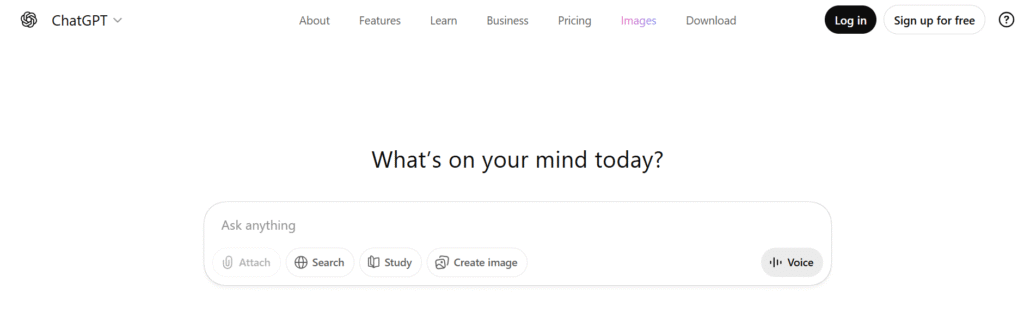
Its versatility makes it one of the Best Free AI Tools for students, professionals, marketers, and creatives alike. With a simple interface and powerful AI engine, you can get instant, high-quality responses for virtually any task—making productivity smarter and more efficient.
Key Features of ChatGPT ✨
1. Conversational AI
ChatGPT can hold natural, human-like conversations on almost any topic. It remembers context within a session, making interactions feel smooth and intuitive. Perfect for brainstorming, customer support, or just learning new topics.

2. Content Creation
It can generate high-quality text, including articles, social media posts, emails, and even poetry. With a few prompts, ChatGPT helps save time while producing creative and professional content. This makes it a go-to tool for writers and marketers.
3. Coding Assistance
ChatGPT can write, debug, and explain code snippets in multiple programming languages. Whether you’re a beginner or a developer, it accelerates learning and problem-solving. It even helps generate scripts, functions, or full programs on demand.

4. Knowledge & Research
The AI can provide summaries, explanations, and insights on a wide range of topics. It helps students, professionals, and curious minds quickly understand complex subjects. This makes research faster, simpler, and more accessible.
5. Multilingual Support
ChatGPT can communicate in multiple languages and translate text efficiently. This feature allows global users to interact, write, and understand content across different languages. It’s ideal for international teams and creators.
Pricing Plans of ChatGPT 💰
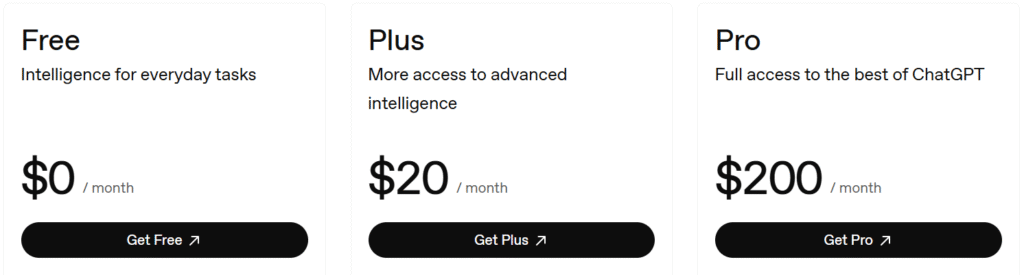
- Free – $0/month: Basic access with limited features and slower image generation.
- Plus – $20/month: Expanded messaging, uploads, and faster AI with GPT-5.2.
- Pro – $200/month: Unlimited usage, faster responses, and full access to advanced features.
- Business – $25/user/month: Secure, collaborative workspace with app integrations and full admin control.
- Enterprise – Contact sales: Custom solutions with advanced security, privacy, and enterprise-grade support.
Pros & Cons of ChatGPT ⭐
| Pros ✅ | Cons ❌ |
|---|---|
| Free plan available for basic usage and access to GPT-5.2. | Free plan has limited features compared to paid versions. |
| Fast response time, especially with the Plus and Pro plans. | Higher plans can be costly, especially for casual users. |
| Scalable for both personal and business needs (Enterprise plans). | Advanced features only available in higher-tier plans (Pro, Business, Enterprise). |
| Supports integrations with apps like Slack, Google Drive, and more for businesses. | Limited integrations for free and lower-tier plans. |
| Image generation capabilities with GPT-5.2 (available in higher plans). | |
| Can be used for deep research and task management in Business & Pro plans. | |
| Customization options for creating projects, tasks, and custom GPTs in Pro and Business plans. |
#3. Canva
Canva is a user-friendly graphic design platform that allows anyone, from beginners to professionals, to create stunning visuals with ease.
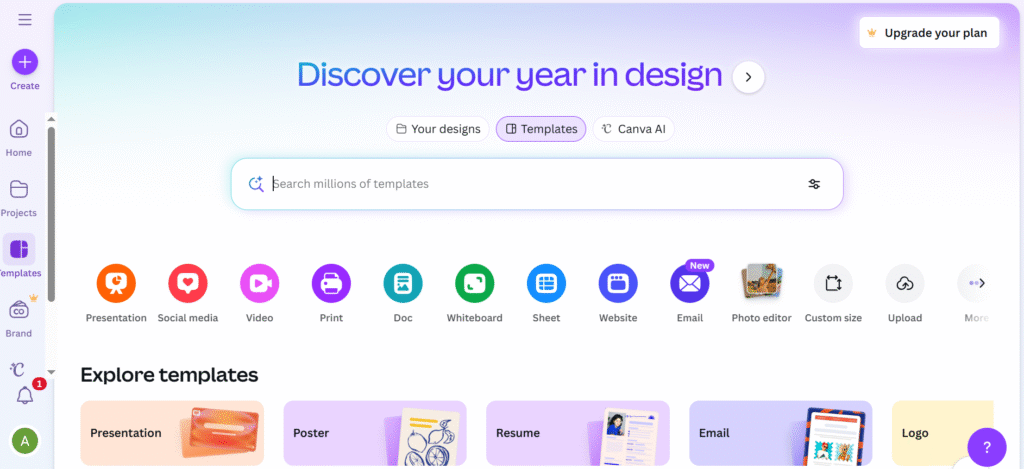
Whether you’re designing social media posts, presentations, posters, infographics, or logos, Canva offers a simple drag-and-drop interface and a vast library of templates, fonts, images, and illustrations.
Key Features of Canva 🌟
- User-Friendly Drag-and-Drop Interface
Canva’s intuitive design tools make it easy for users of all skill levels to create professional graphics. The drag-and-drop functionality allows you to add elements like images, text, and icons with minimal effort, making design accessible to everyone. - Vast Library of Templates
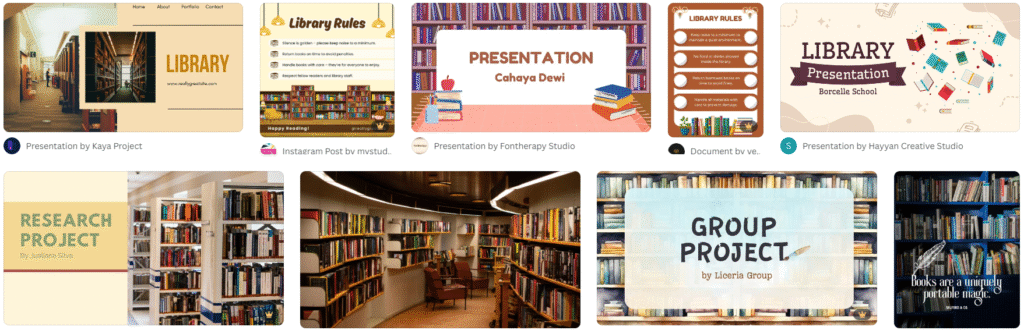
With thousands of customizable templates for social media, presentations, posters, and more, Canva provides a quick and easy starting point for any project. You can find templates suited to various industries and occasions, saving time while delivering high-quality results.
- Extensive Image and Asset Library
Canva offers millions of free and premium images, videos, icons, and illustrations. Whether you need stock photos, illustrations, or even soundtracks for videos, Canva’s expansive library ensures you have everything you need to make your design stand out. - Collaboration Tools
Canva allows multiple users to collaborate in real-time on a single project. You can invite team members, share designs with stakeholders, and leave feedback directly on the design, making it perfect for businesses and creative teams working together remotely. - Customizable Brand Kits
Canva’s Brand Kit feature lets businesses store and organize brand assets such as logos, fonts, and color palettes. This makes it easy to maintain brand consistency across all designs, whether you’re creating marketing materials or social media posts.
Pricing Plans of Canva 💰

- Free Plan ($0/month): Access to basic templates, photos, and editing tools for personal use.
- Pro Plan ($120/year): Unlock premium templates, advanced tools, and 100GB storage for professional use.
Pros & Cons of Canva ✨
| Pros ✅ | Cons ❌ |
|---|---|
| Free plan provides access to basic templates and design tools. | Free plan has limited access to premium features. |
| Easy to use with a drag-and-drop interface. | Can be slow with large file sizes or complex projects. |
| Offers templates for all kinds of designs: social media, presentations, etc. | Some advanced features are locked behind paid plans. |
| Team collaboration features make working with others easy. | Limited customization options in certain templates. |
| Massive library of free stock photos, illustrations, and videos. | |
| Offers a mobile app for designing on the go. | |
| Can create animations and short videos. |
#4. Perplexity
Perplexity is a conversational search engine—often called an “Answer Engine”—that combines the power of artificial intelligence with real-time web search. Unlike traditional search engines that give you a list of links, Perplexity reads through those links and writes a concise, cited answer for you.

As of late 2025, it is considered one of the top free AI tools for researchers, students, and digital marketers because it eliminates the need to open 20 different tabs to find one answer.
Key Features of Perplexity 🌟
- Pro Search (Assistant Mode): This advanced search mode acts as a digital research assistant by asking you clarifying questions to narrow down your intent. Instead of just giving one answer, it performs multiple targeted searches across the web to synthesize a comprehensive and highly accurate response.
- Deep Research Mode: Introduced as a powerful autonomous agent, Deep Research can spend several minutes browsing hundreds of sources to build expert-level reports. It independently reasons through different perspectives, follows leads, and compiles a multi-page document with structured headings and extensive citations.

- Perplexity Pages: Pages allows you to instantly transform your search threads into beautifully formatted, shareable articles or reports with a single click. You can customize the layout, add AI-generated images, and choose a target audience tone to make the content ready for publication.
- Specialized Focus Modes: Focus modes allow you to restrict the AI’s search to specific parts of the internet, such as “Academic” for peer-reviewed papers or “Social” for Reddit and Twitter discussions. You can also use “Writing” mode to generate text without a web search or “Video” mode to pull insights directly from YouTube content.
- File Analysis and Internal Search: Perplexity supports the direct upload of PDFs, CSVs, and images, allowing you to “chat” with your documents to extract summaries or data. Pro users can even search their internal files simultaneously with the live web, creating a unified knowledge base for professional projects.
Pricing Plans of Perplexity 💰
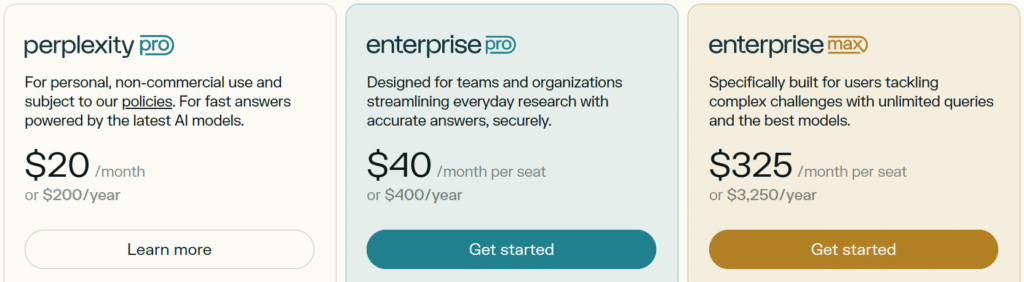
- Perplexity Pro ($20/mo): Unlocks unlimited Pro Searches, 10x citations, and access to premium models like GPT-5.2 and Claude Sonnet 4.5.
- Enterprise Pro ($40/mo per seat): Designed for teams to collaborate in private Spaces with SOC 2 security and internal file search capabilities.
- Enterprise Max ($325/mo per seat): The ultimate tier for organizations, providing unlimited Deep Research, Opus 4.5 access, and enhanced video generation.
Pros & Cons of Perplexity 🌟
| Pros ✅ | Cons ❌ |
|---|---|
| Real-Time Citations: Transparently links every claim to its original source for fact-checking. | Limited Free Pro Queries: Use of top-tier models (GPT-4o/Claude) is capped on the free plan. |
| Conversational Search: Remembers context, allowing for natural follow-up questions. | Source Bias: If the indexed web sources are incorrect, the AI will repeat those errors. |
| Specific Focus Modes: Can limit searches to just Academic papers, Reddit, or YouTube. | Creativity Gap: Better at reporting facts than writing creative fiction or poetry. |
| Ad-Free Experience: Clean UI without the cluttered “sponsored results” found in traditional search. | Occasional Hallucinations: Can sometimes misinterpret complex data within a cited source. |
| File Analysis: Free users can upload PDFs to summarize or extract data instantly. | |
| Powerful Chrome Extension: Summarize any webpage or ask questions about the current tab. | |
| Cross-Platform Sync: Excellent mobile apps for iOS and Android with voice search support. |
#5. Gamma AI
Gamma is an AI-powered design and content creation platform that allows users to generate professional presentations, websites, and documents in seconds. It is designed to eliminate “blank page syndrome” by using artificial intelligence to handle the layout, design, and initial drafting of content.
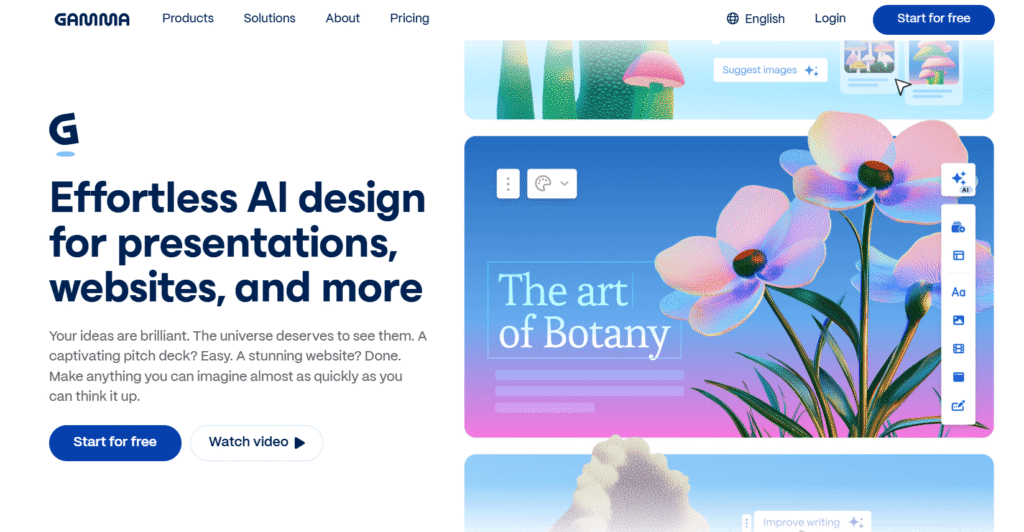
Unlike traditional slide software that requires manual formatting, Gamma uses AI co-creation to turn a simple prompt, text outline, or imported file into a polished, visually engaging project.
Key Features of Gamma AI 🌟
- AI-Powered Generation: Transform a simple prompt, text outline, or existing file into a polished presentation, website, or document in seconds. It uses over 20 AI models to eliminate the “blank page” hurdle and kickstart your creative process instantly.
- No-Code Website Builder: Create professional AI landing pages, portfolios, and business sites without writing a single line of code. These sites are fully responsive and can be published live or shared via a link, moving your ideas from concept to web in a flash.

- One-Click Refinement & Shaping: Use AI as a co-editor to instantly swap layouts, generate relevant images, or translate your entire project into different languages. This collaborative workflow allows you to refine your message and design with simple clicks rather than manual labor.
- Versatile Export & Sharing: Seamlessly export your work to PPT, Google Slides, or PDF, or share it as an interactive link with built-in engagement tracking. This flexibility ensures your content looks great whether it is being presented live, shared on social media, or sent as a proposal.
- Brand Consistency & Themes: Apply consistent branding across all your projects by importing your own brand assets or choosing from over 100 professional themes. This ensures that every deck or site you create remains visually elegant and aligned with your professional identity.
Pricing Plans of Gamma AI 💰

- Free Plan ($0): Perfect for small projects, offering 400 signup credits and essential tools to create basic AI presentations, documents, and websites.
- Plus Plan ($8/mo): An affordable upgrade for individuals that removes the Gamma watermark and provides 1,000 monthly credits with advanced AI image models.
- Pro Plan ($18/mo): Built for power users needing 4,000 monthly credits, custom branding, API access, and detailed analytics to track viewer engagement.
- Ultra Plan ($90/mo): The ultimate tier for high-volume creation, featuring 20,000 monthly credits and exclusive access to the most advanced AI text and video models.
Pros & Cons of Gamma AI 🎯
| Pros ✅ | Cons ❌ |
|---|---|
| Generates professional presentations, websites, and documents from simple text prompts in seconds. | The credit-based system can be restrictive for power users who create high volumes of content daily. |
| Uses a unique card-based system that makes it much easier to organize ideas than traditional linear slides. | Free versions include a “Made with Gamma” watermark that can only be removed with a paid subscription. |
| Automated design tools ensure consistent branding and professional layouts without requiring design skills. | Access to the most advanced AI models and custom font uploads is locked behind higher-priced plans. |
| Supports seamless exporting to common formats like PowerPoint, PDF, and Google Slides. | |
| Includes built-in engagement analytics to see how many people have viewed or interacted with your shared links. | |
| Allows for real-time collaboration with team members and quick image generation using integrated AI models. |
#6. Leonardo AI
Leonardo AI is an advanced generative AI platform designed for creating production-quality visual assets like images, videos, and 3D textures. It stands out in the creative market by offering a “Photoshop-on-steroids” experience, providing granular control over AI-generated content through an intuitive web-based interface.
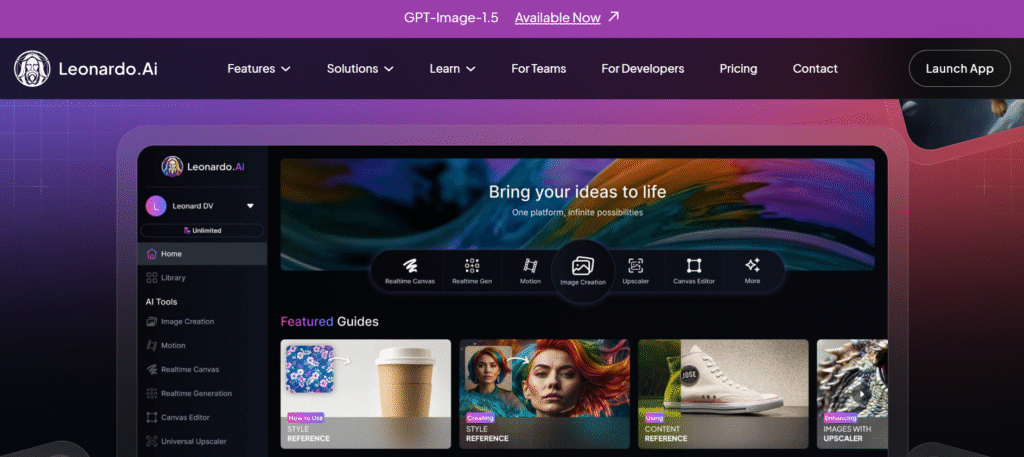
Unlike simple text-to-image tools, Leonardo AI features a suite of professional tools including Realtime Canvas and AI Canvas that allow artists, game developers, and marketers to refine their work, maintain style consistency, and even train their own custom AI models to match specific brand guidelines.
Key Features of Leonardo AI ✨
- Advanced AI Image Generation: Leverage a diverse suite of fine-tuned models like Phoenix and Lucid Origin to create production-quality visual assets with unmatched speed. This tool allows both beginners and professionals to redefine the impossible by transforming simple text prompts into stunning, style-consistent images for any creative project.
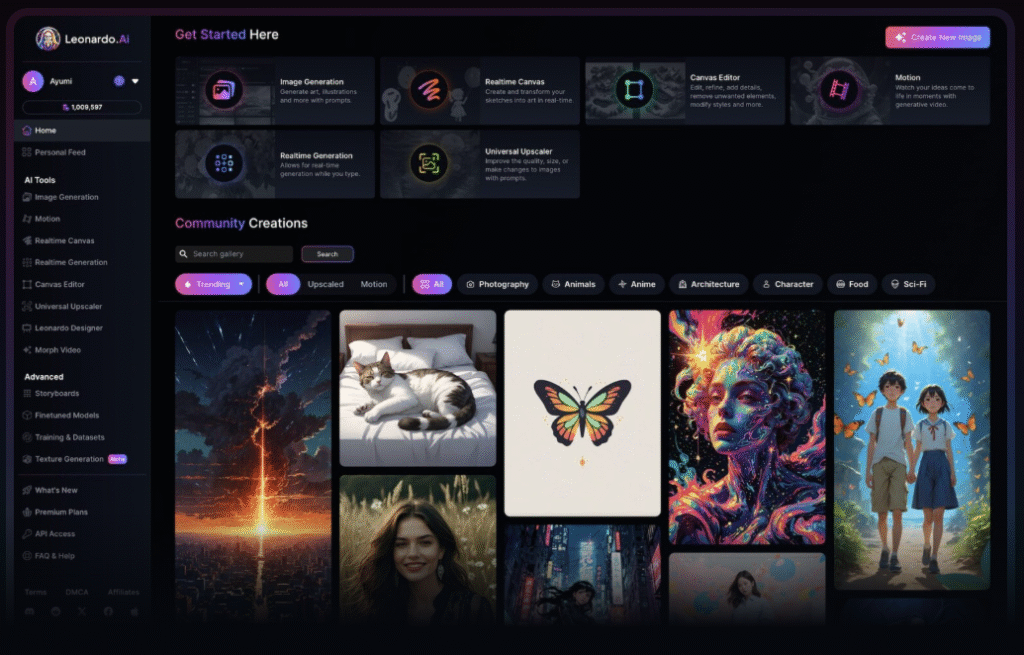
- Interactive Realtime Canvas: Experience a revolutionary “drawing-to-image” workflow that transforms rough sketches into detailed, polished artwork instantly as you move your brush. This lightning-fast tool provides precise control over composition and style, allowing you to see your ideas evolve in real-time before your eyes.
- Professional AI Canvas Editor: Take full control over every pixel with a production-grade editor that supports advanced techniques like inpainting, outpainting, and layered editing. This feature allows you to seamlessly expand images beyond their original borders or modify specific details within a scene without starting from scratch.

- 3D Texture Generation: Supercharge your 3D design pipeline by generating context-aware textures for complex assets in a matter of seconds. Simply upload your OBJ files and let the AI apply sophisticated textures with contextual intelligence, breathing life into your 3D models like never before.
- Custom Model Training: Empower your creative team by training bespoke AI models on your own unique datasets to maintain perfect brand and style consistency. By uploading a small set of reference images, you can teach the platform to mimic specific artistic looks, ensuring all future outputs align with your project’s visual identity.
Pricing Plans of Leonardo AI 💰

- Free Plan ($0): A great entry point for casual creators, providing 150 fast tokens daily to explore basic image generation and community models.
- Apprentice Plan ($10/mo): Ideal for hobbyists, offering 8,500 monthly tokens, the ability to train 10 personal AI models, and private generation options.
- Artisan Unlimited ($24/mo): Designed for professionals, this plan includes 25,000 monthly tokens and unlimited relaxed image generation for Leonardo-hosted models.
- Maestro Unlimited ($48/mo): The ultimate creative tier with 60,000 monthly tokens, plus unlimited relaxed video and image generation for high-volume producers.
Pros & Cons of Leonardo AI ✅
| Pros ✅ | Cons ❌ |
|---|---|
| Industry-leading creative control with features like Realtime Canvas and Image Guidance. | The token-based system can be confusing and may run out quickly during heavy creative sessions. |
| Ability to train and use your own custom AI models to maintain perfect brand consistency. | Advanced features like Motion 2.0 and high-resolution upscaling are locked behind paid tiers. |
| Access to a massive library of 100+ fine-tuned community models for any artistic style. | The wide range of professional settings can present a steep learning curve for beginners. |
| Generous free tier with daily token resets, unlike competitors that require upfront payment. | |
| Specialized tools for 3D texture generation and transparent PNG creation streamline workflows. | |
| Production-grade AI Canvas for seamless inpainting, outpainting, and layered image editing. |
Which Is Best Free AI Tool? 👌
In the competitive landscape, Google Gemini has emerged as the clear “All-in-One” winner. While specialized tools like Leonardo (art) or Gamma (slides) are great at one thing.
Gemini wins because it lives where you already work inside your docs, emails, and search bar and it can “see,” “hear,” and “think” across massive amounts of data better than any other tool.
Why Google Gemini Wins? 🏆
Gemini is the “Context King,” processing up to 2 million tokens at once. This allows it to analyze an entire hour-long video, thousands of lines of code, or a 1,500-page PDF in a single go to find specific answers instantly.
Unlike tools that stitch different models together, Gemini is natively multimodal. It was built from the ground up to understand text, images, video, and audio simultaneously, allowing it to solve complex visual problems like fixing a broken sink from a video clip.
The Google Workspace integration is a true game-changer for daily productivity. Gemini lives directly inside Gmail, Docs, and Sheets, where it can draft emails from documents, summarize long threads, or organize messy data into tables with one click.
Conclusion 🔥
In summary, while the AI landscape is filled with incredible specialized tools like Gamma for design and Leonardo for art, Google Gemini stands out as the ultimate winner.

By blending massive memory, real-time search accuracy, and seamless integration into the apps we use daily, it transcends being just a “chatbot” and becomes a true digital partner.
Whether you are a student, a creator, or a professional, the best strategy is to use Gemini as your central hub while leveraging specialist tools to add that final polished touch to your projects.
FAQs 🚀
Most free tools use your data to train their models, so always check privacy settings and avoid sharing sensitive or personal information.
Free versions often require attribution or include watermarks, while full commercial ownership usually requires a paid subscription tier.
Google prioritizes helpful, high-quality content for users, meaning AI-assisted writing is fine as long as it provides real value and accuracy.
Yes, these platforms rely on powerful cloud-based servers and real-time data, so you must be online to generate content.